// Case study
Uncloud360
A private AI coach for work, emotions and life. Talk it through in one tap and leave with one clear next step.
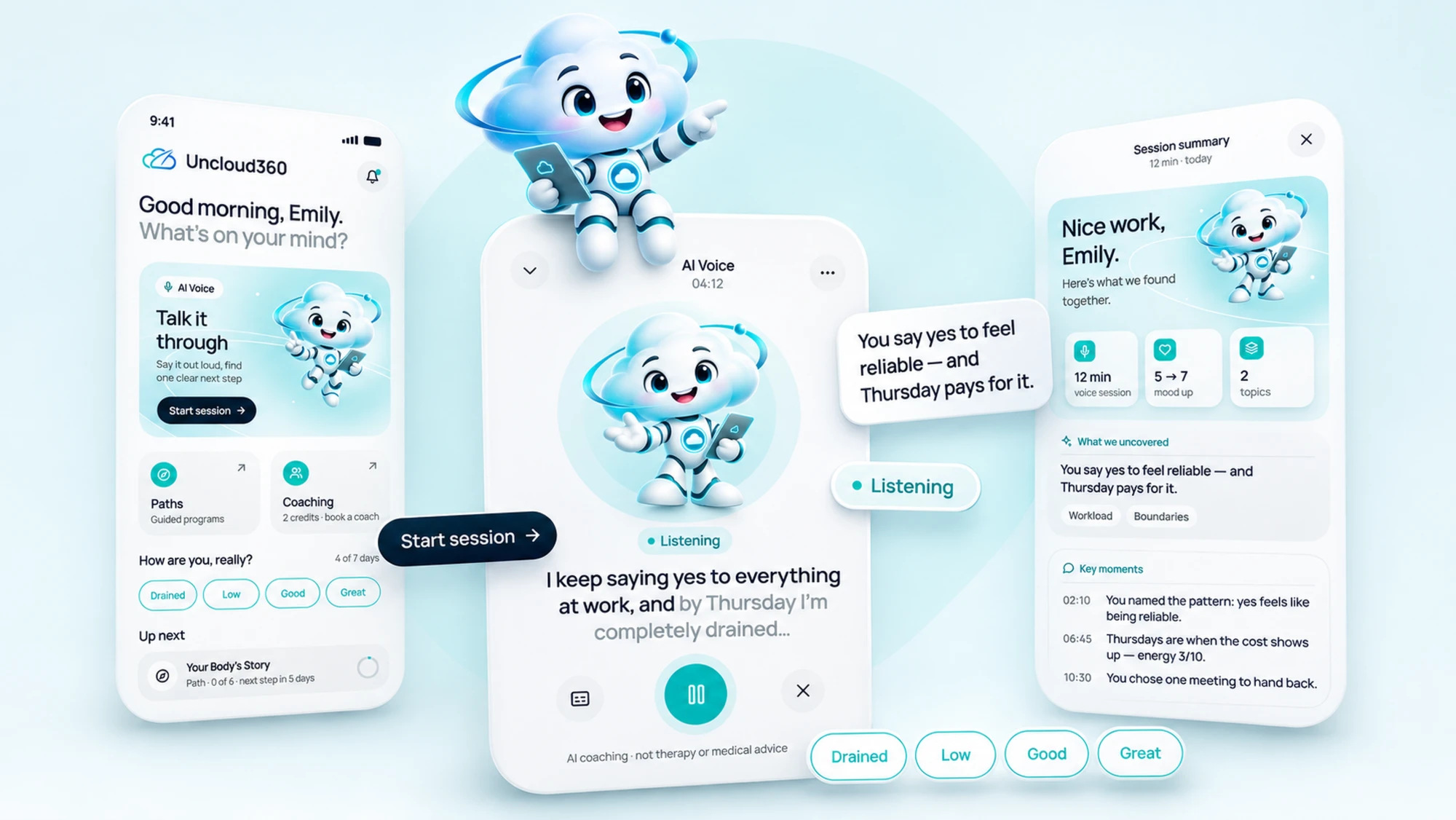
People open a coaching app when something is heavy: burnout at work, tension at home, a decision they keep putting off. In that moment the interface has to get out of the way. The task was a calm, clear product where a conversation with the assistant is always one tap away, a mascot that makes the AI feel approachable without being childish, and a visual style built on the Uncloud 360 brand book.
Design process
From the brand book to a mascot and a full mobile-first product, then the same system on desktop.
Who comes to the app and in what state; what has to be reachable in one tap.
Light, calm, grown-up: Navy for structure, Teal for the one action, Mist for air.
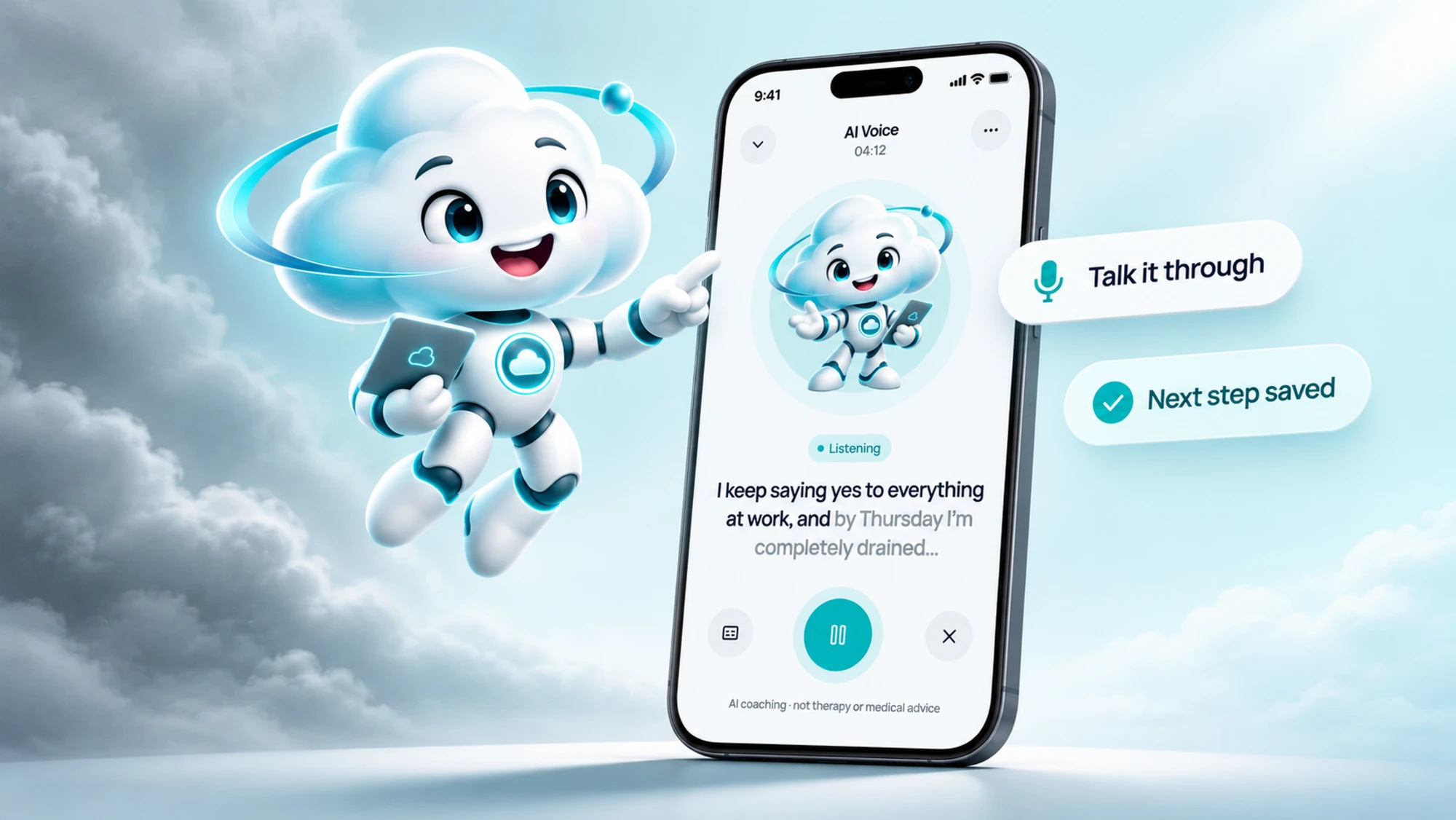
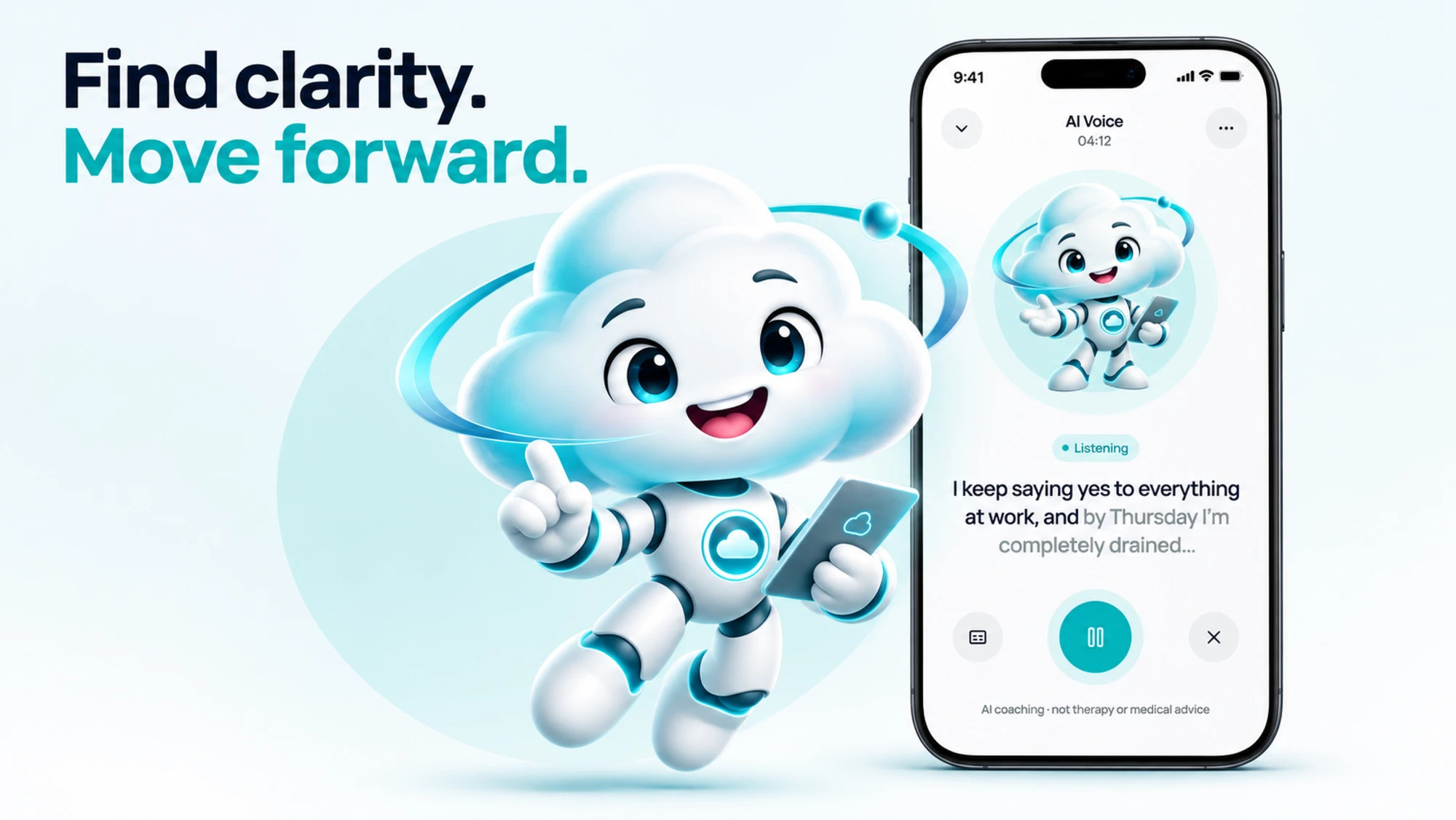
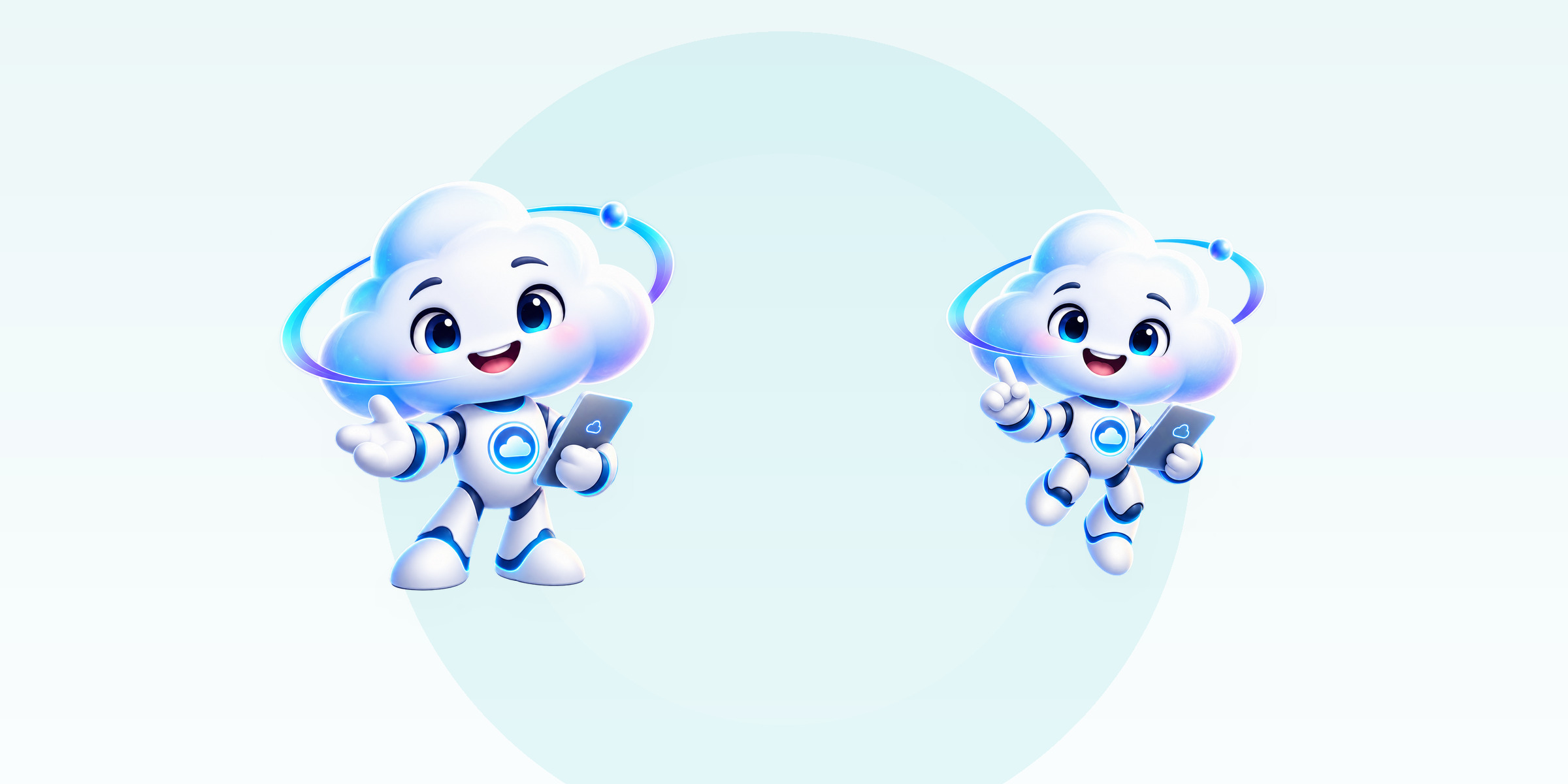
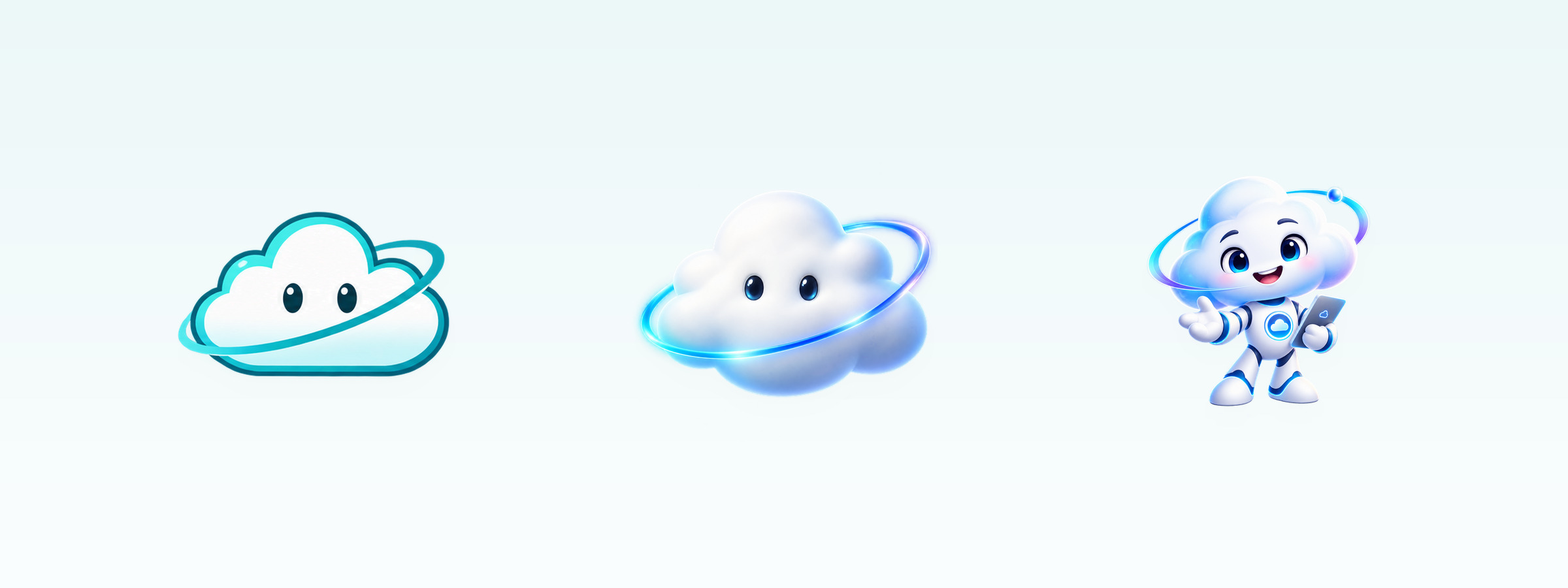
Four directions explored; a 3D cloud character with poses for welcoming, pointing and presenting.
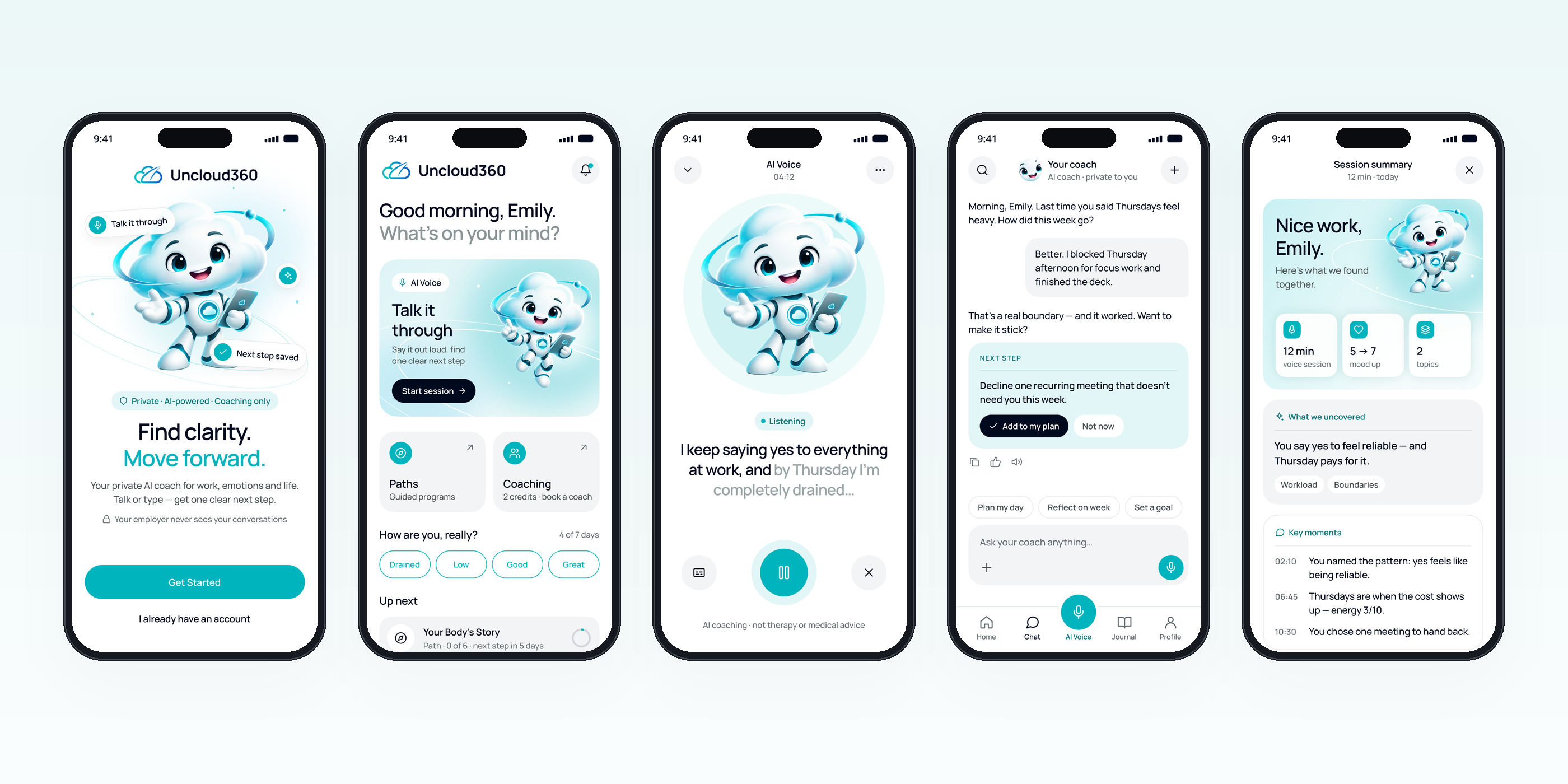
From welcome and sign-up to the voice session, chat, summary, journal and settings.
The same components on a wider layout with a sidebar and a live transcript panel.
The core flow
Open the app, tap AI Voice, talk, and get a summary with one next step. Typing is always there as an alternative.
Principles
Four rules that shaped every screen.
Lightness through air
Soft mist gradients, hairline borders and generous spacing instead of glows, glass or dark slabs.
Warm, not childish
A friendly character for the key moments, words for mood instead of emojis, one calm typeface.
One clear action
Each screen has one primary button in Teal. AI Voice is the hero of Home and the centre of the tab bar.
Built for the thumb
Bottom tab bar, 44 pt+ targets, primary actions in the lower half of the screen.
Key screens
Each one answers a single question: what do I do now?
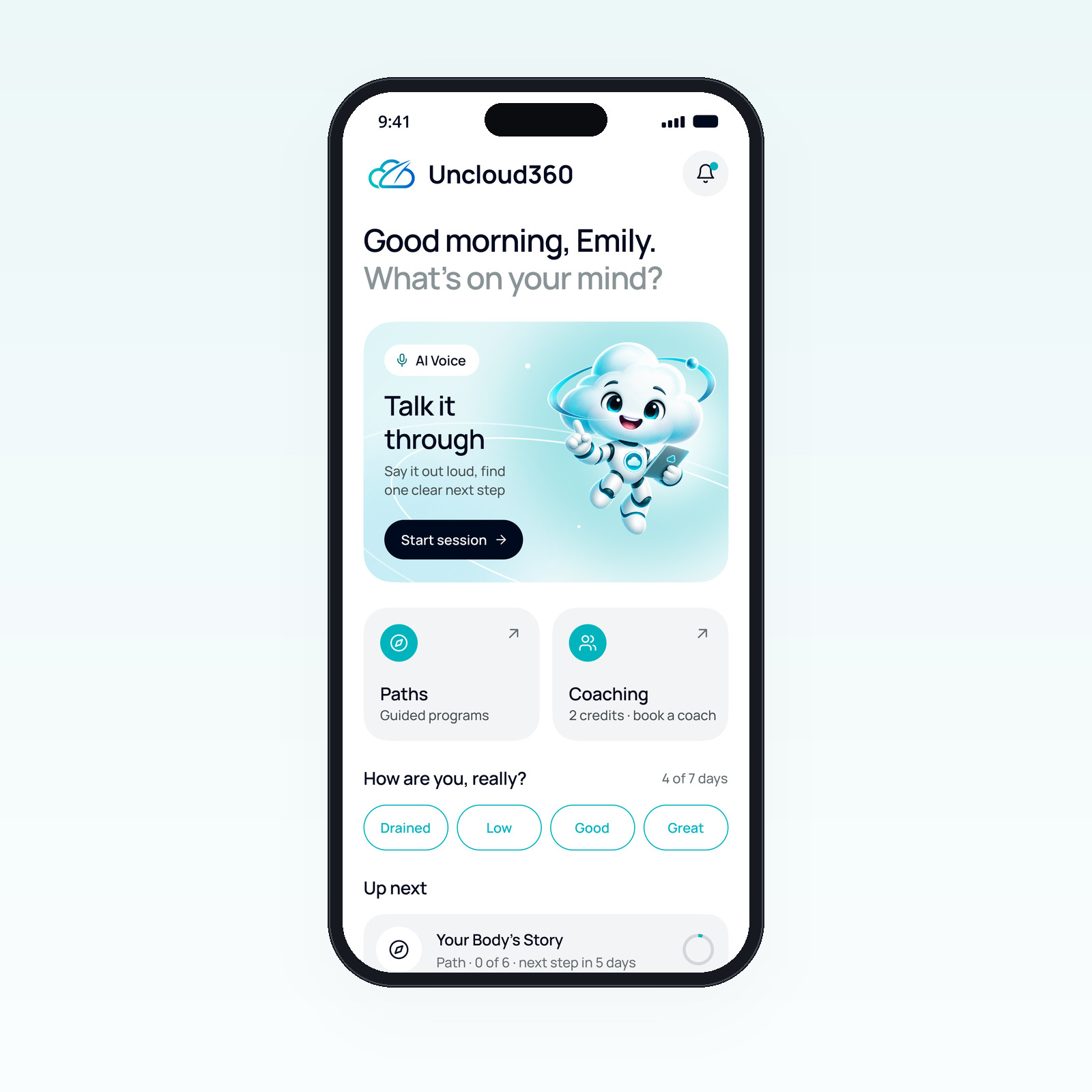
One hero action
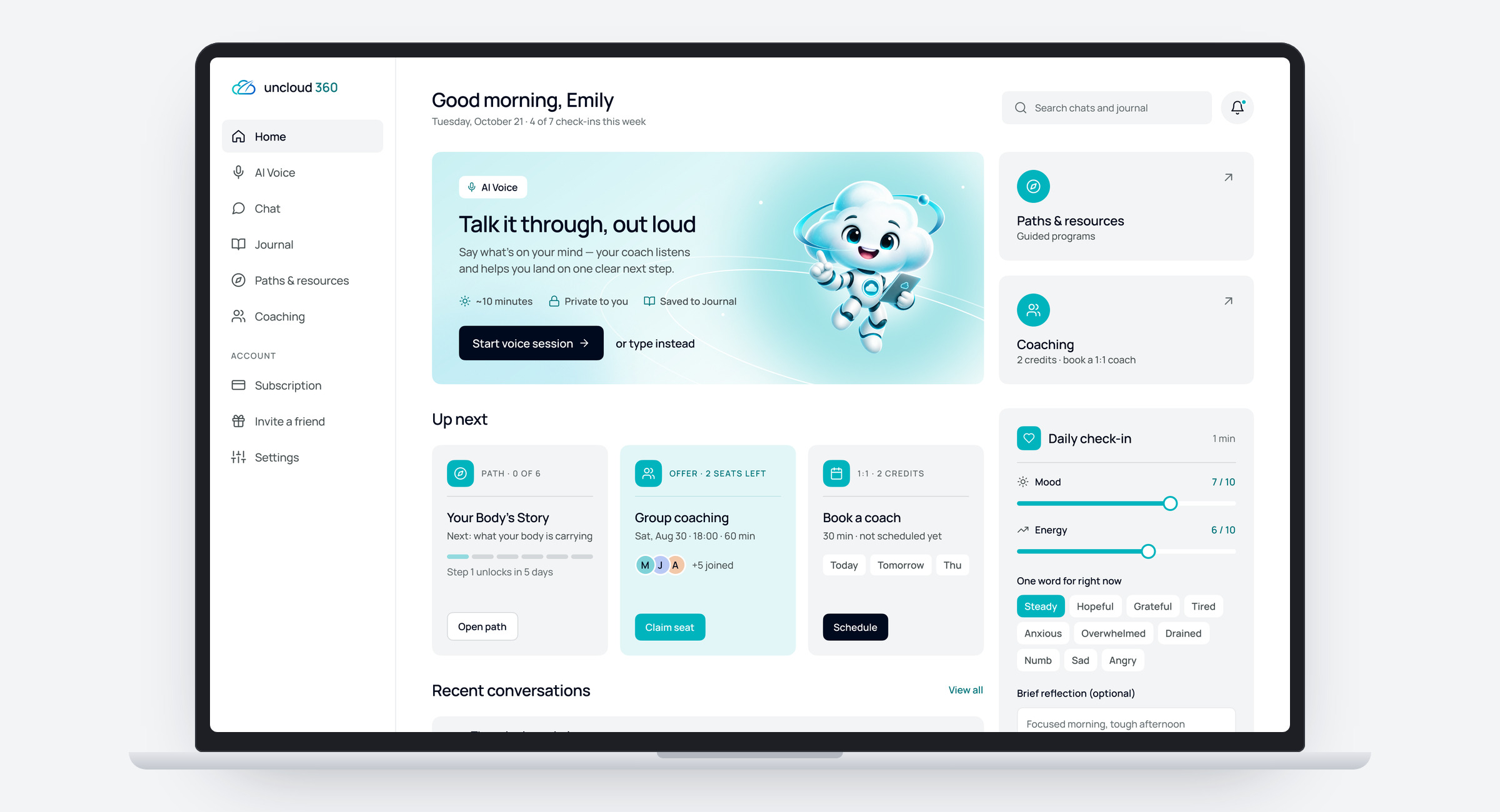
- “Talk it through” starts a voice session in one tap
- Two quick actions: guided paths and live coaching
- A one-word mood check-in and what’s up next
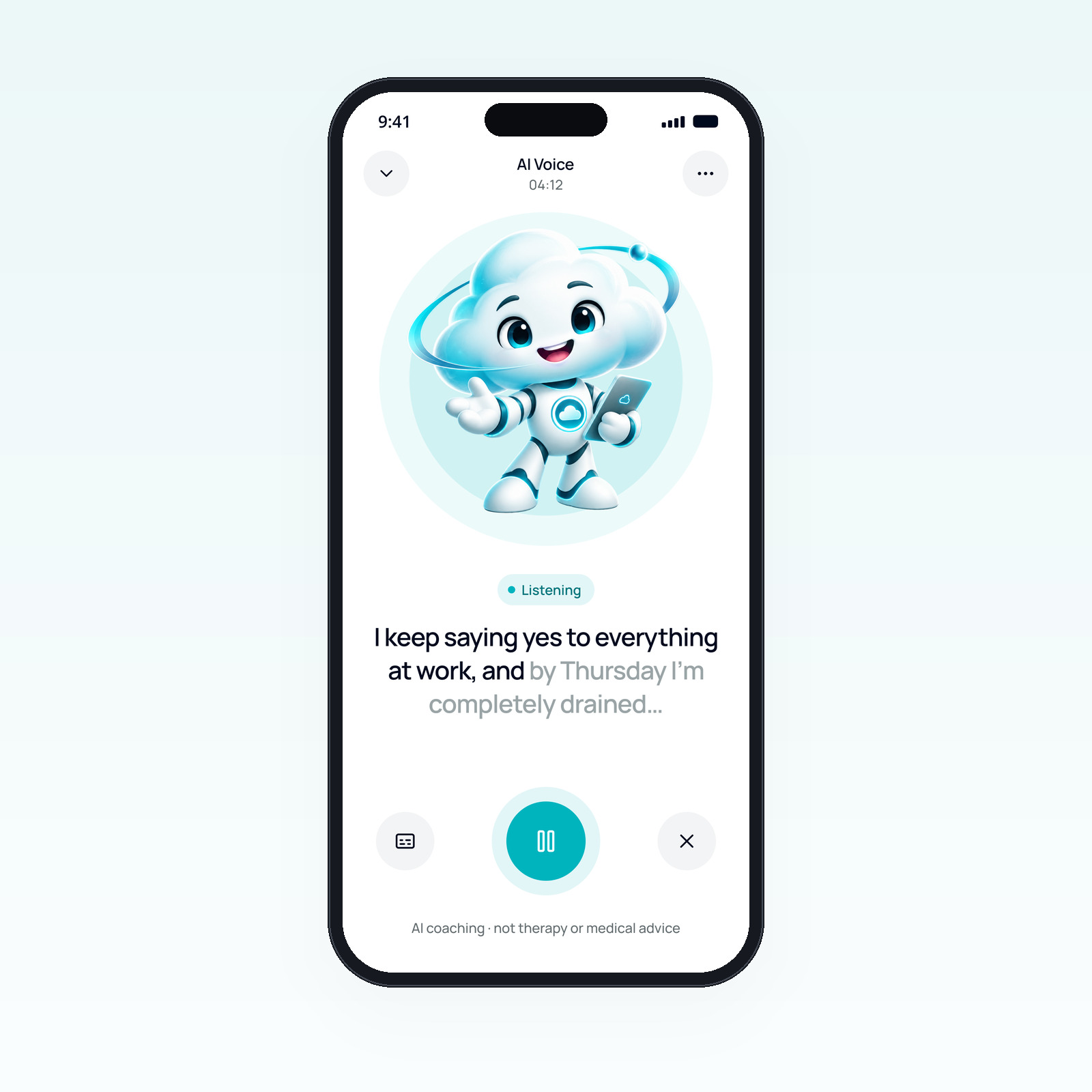
The mascot is the interface
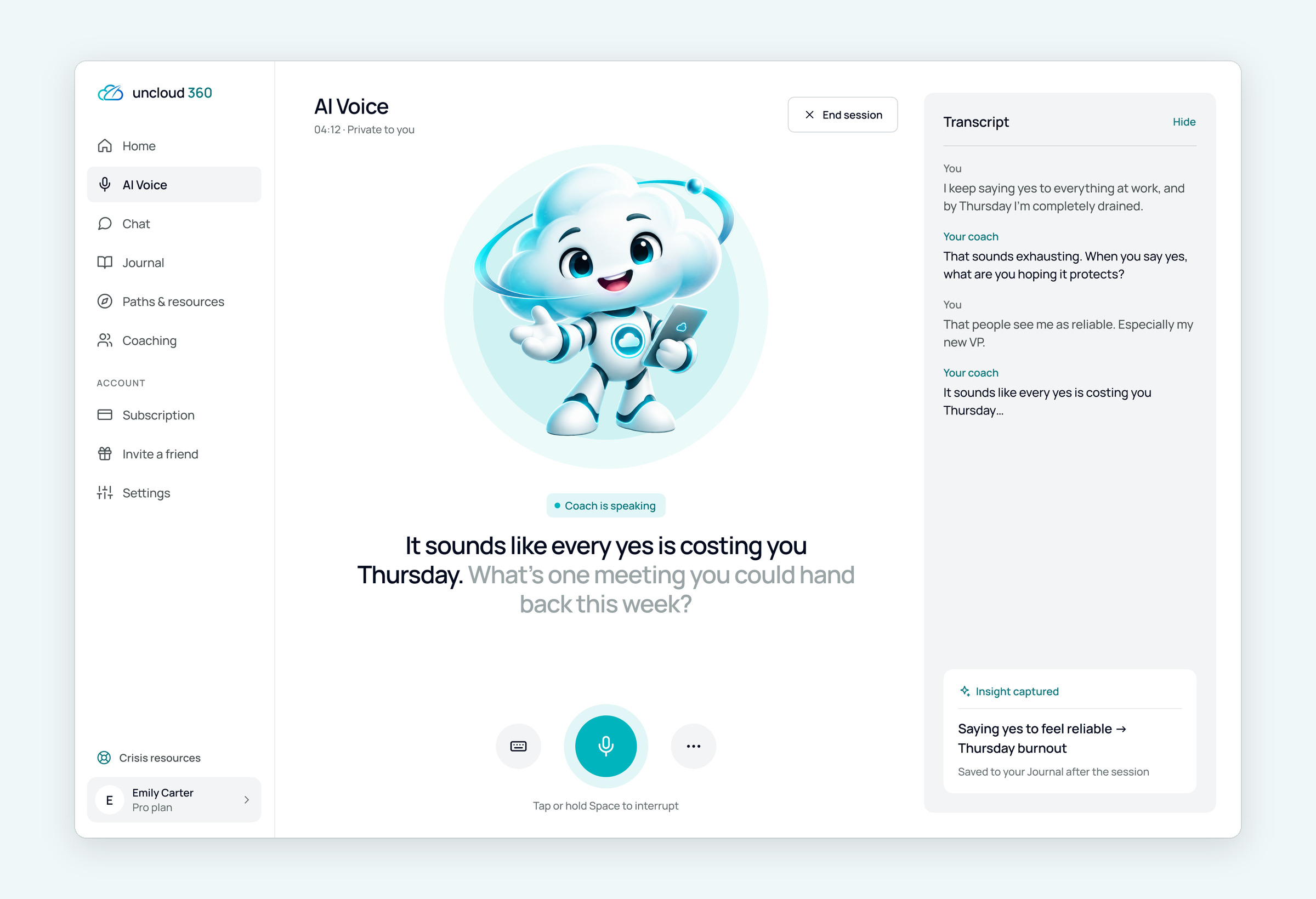
- The character is the centre of the screen, with a clear state: listening, thinking or speaking
- A large live transcript under it
- Pause, captions and end within thumb reach
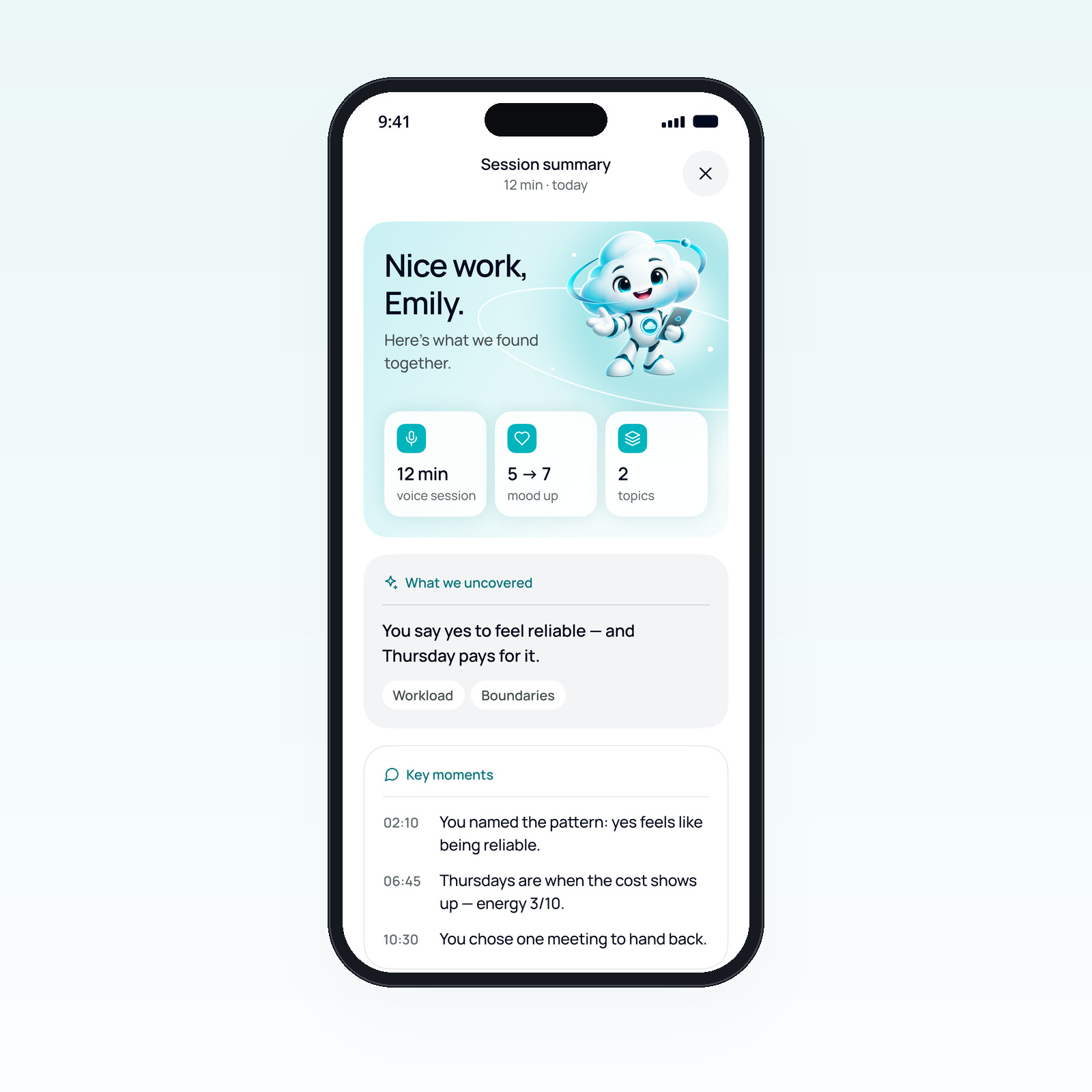
Nothing is lost
- An insight in plain words and the topics it touched
- One next step that can be added to the plan
- Key moments with timestamps, saved to the journal
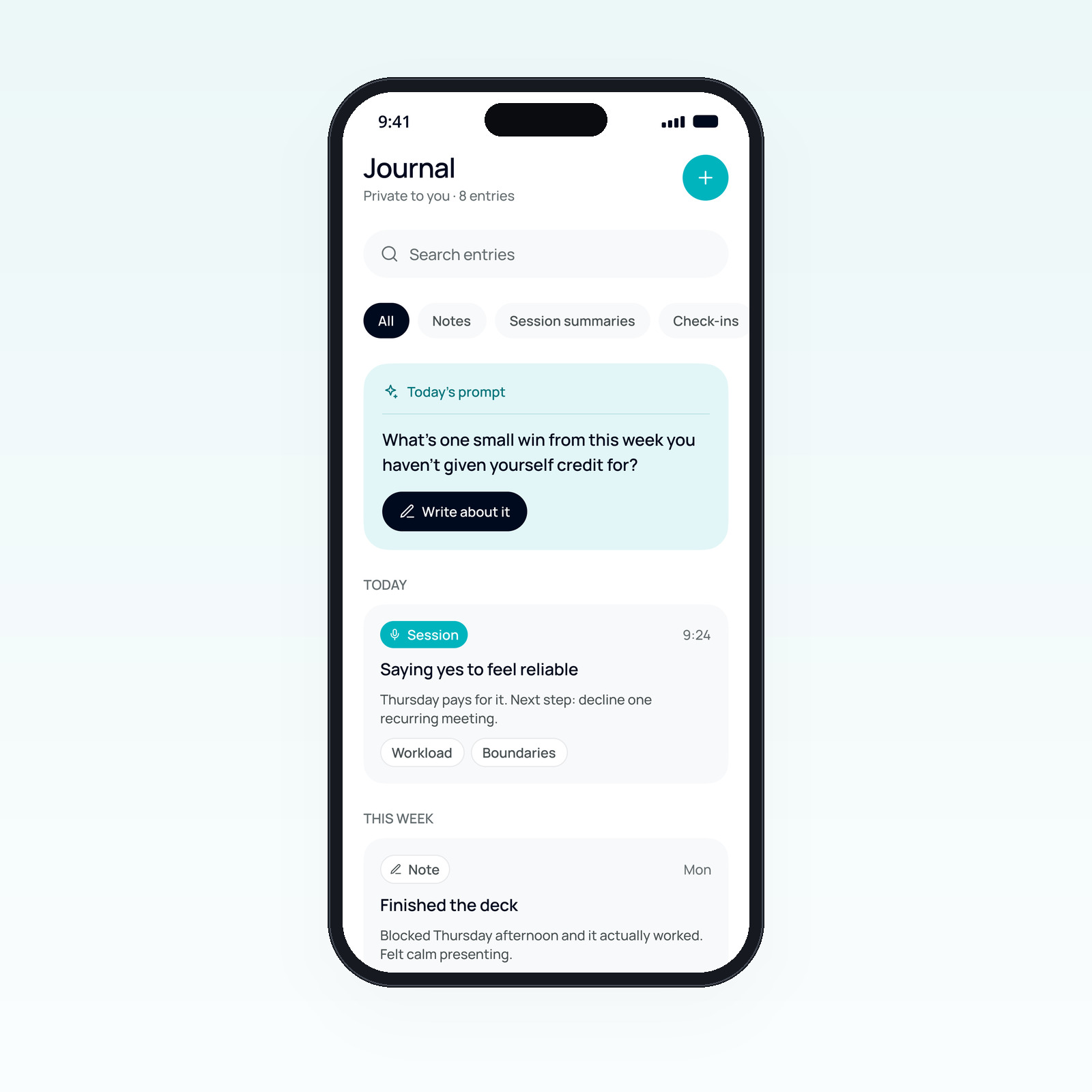
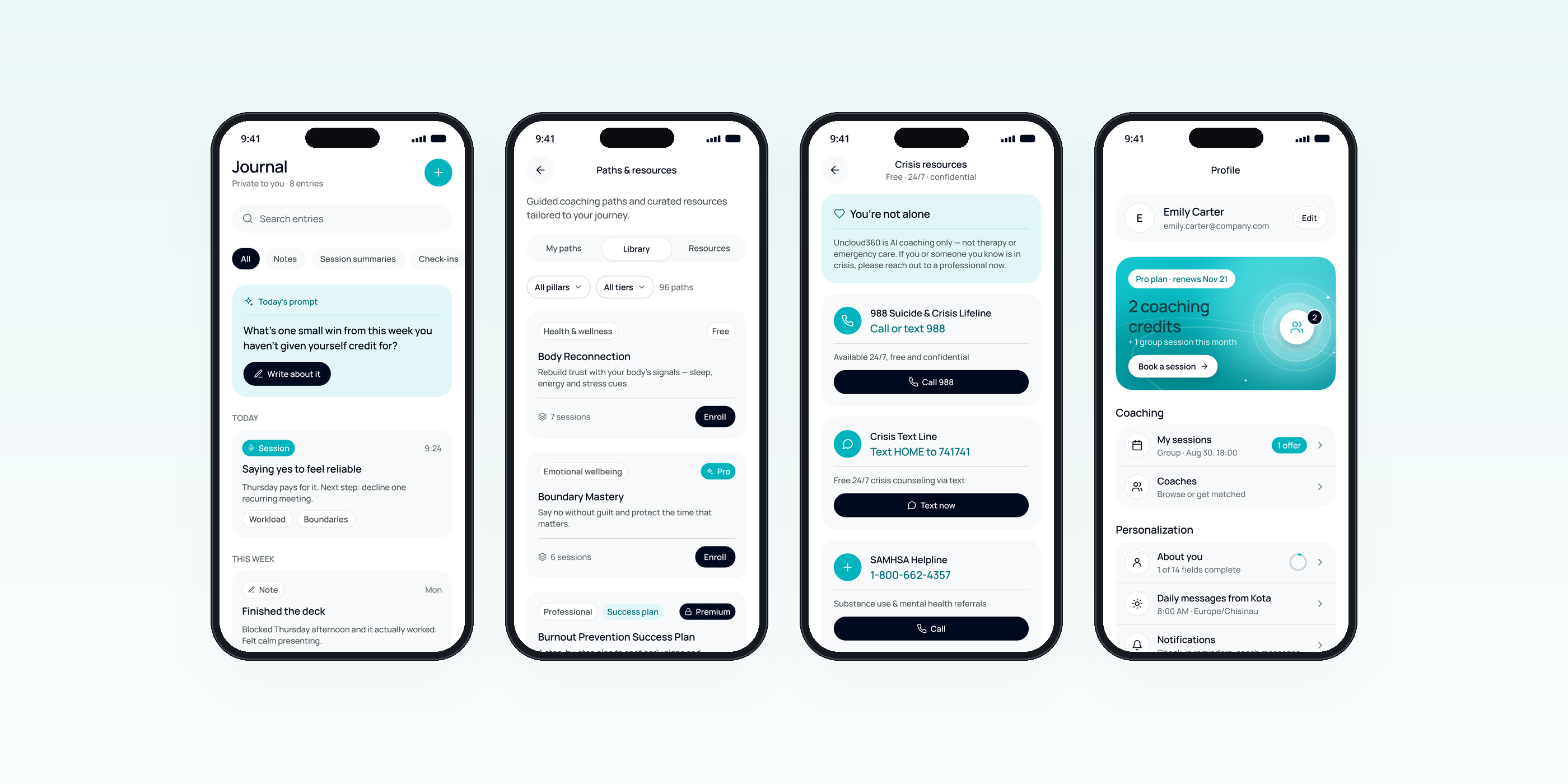
One private feed
- Notes, session summaries and check-ins together
- A daily prompt to start writing
- Search and filters by type
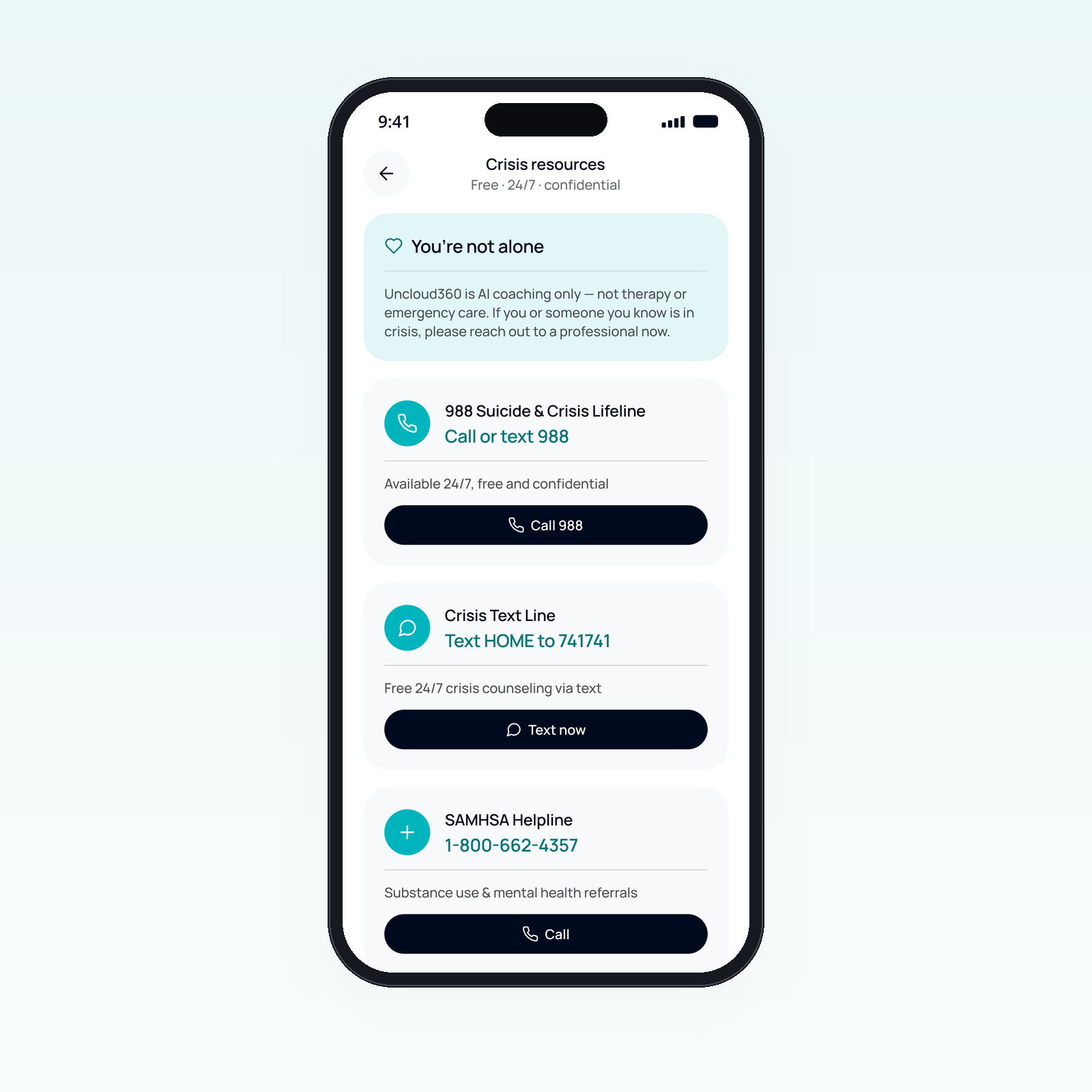
Safety comes first
- A clear note that this is AI coaching, not therapy or emergency care
- Free 24/7 lines with one-tap call or text
- Reachable from Profile → Support at any time
The mascot
A friendly guide with a job to do. The soft 3D cloud character welcomes people, points to the next action and presents insights, so the AI feels approachable from the very first screen.
Beyond the session
Journal, guided paths, crisis resources and a profile that groups plan, coaching and personal settings.
Design system
Built on the Uncloud 360 brand book. Navy carries text and structure, Teal is reserved for the one primary action and AI Voice, Mist creates air between blocks.
Accessibility: white on Teal is only 2.5:1, so labels and icons on Teal buttons are Navy (7.8:1), and small teal text uses Deep teal (4.5:1, AA).
Desktop
The same coach on a bigger screen: sidebar navigation, a dashboard with a daily check-in, and the voice session with the character, a live transcript and captured insights.
Results that matter.
A complete mobile-first concept with its own mascot and design system, mirrored on desktop and ready for development.
Let’s talk.
Tell me about the role or project — I reply within a day.