// Case study
TrueScan
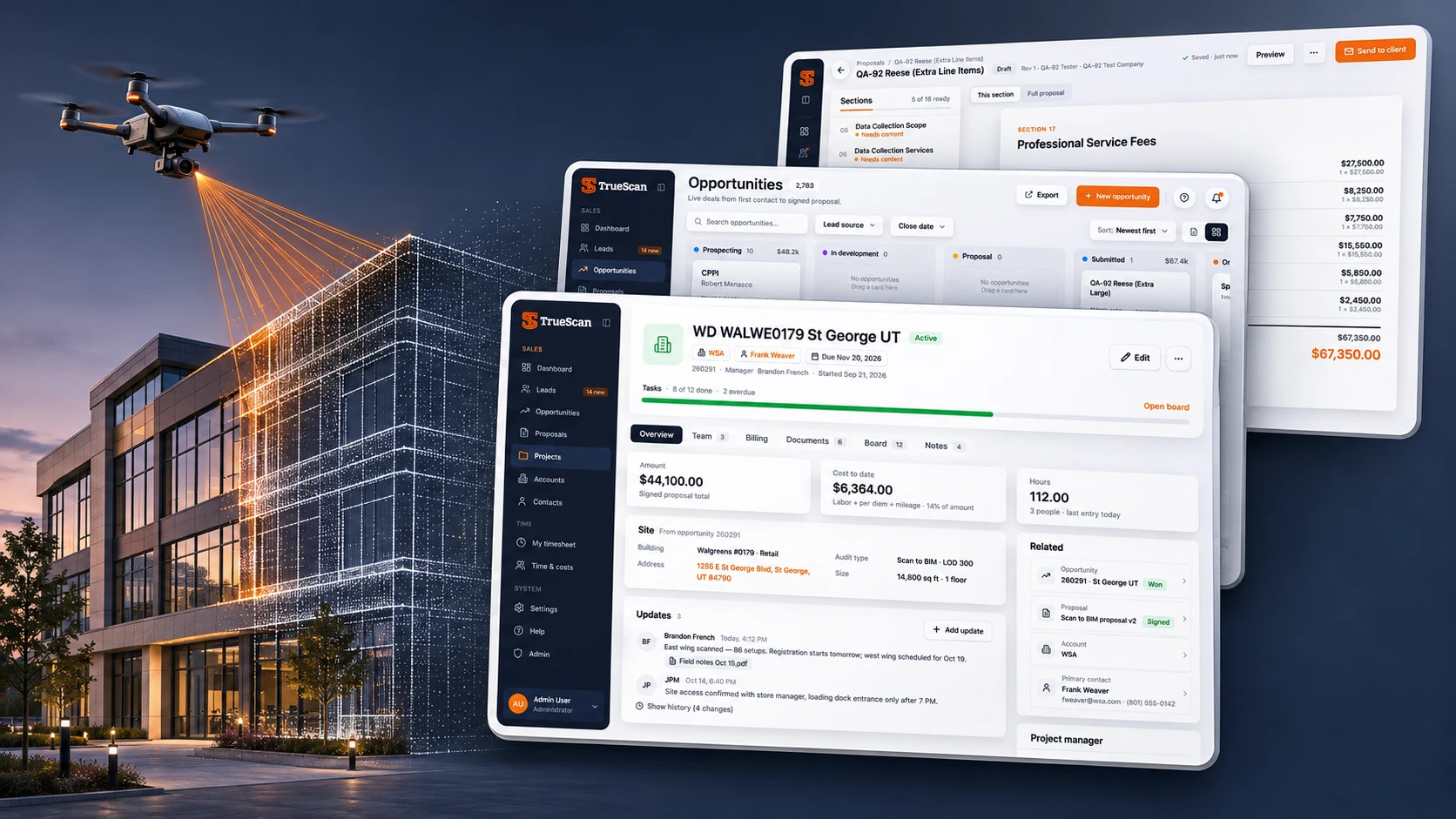
An operations platform for a company that 3D-scans buildings and construction sites, designed from scratch: one system from the first request to a scanned, staffed and costed project.
TrueScan captures existing buildings with laser scanners, drones and Matterport and turns the data into models and drawings. The work runs along one long chain: a request becomes a deal, the deal needs a detailed reality-capture proposal, a won deal becomes a site project with a crew, and field hours, per diem and mileage add up to the project’s cost. I built the product around that chain: the information architecture, a design system and five modules ready for development.
Design process
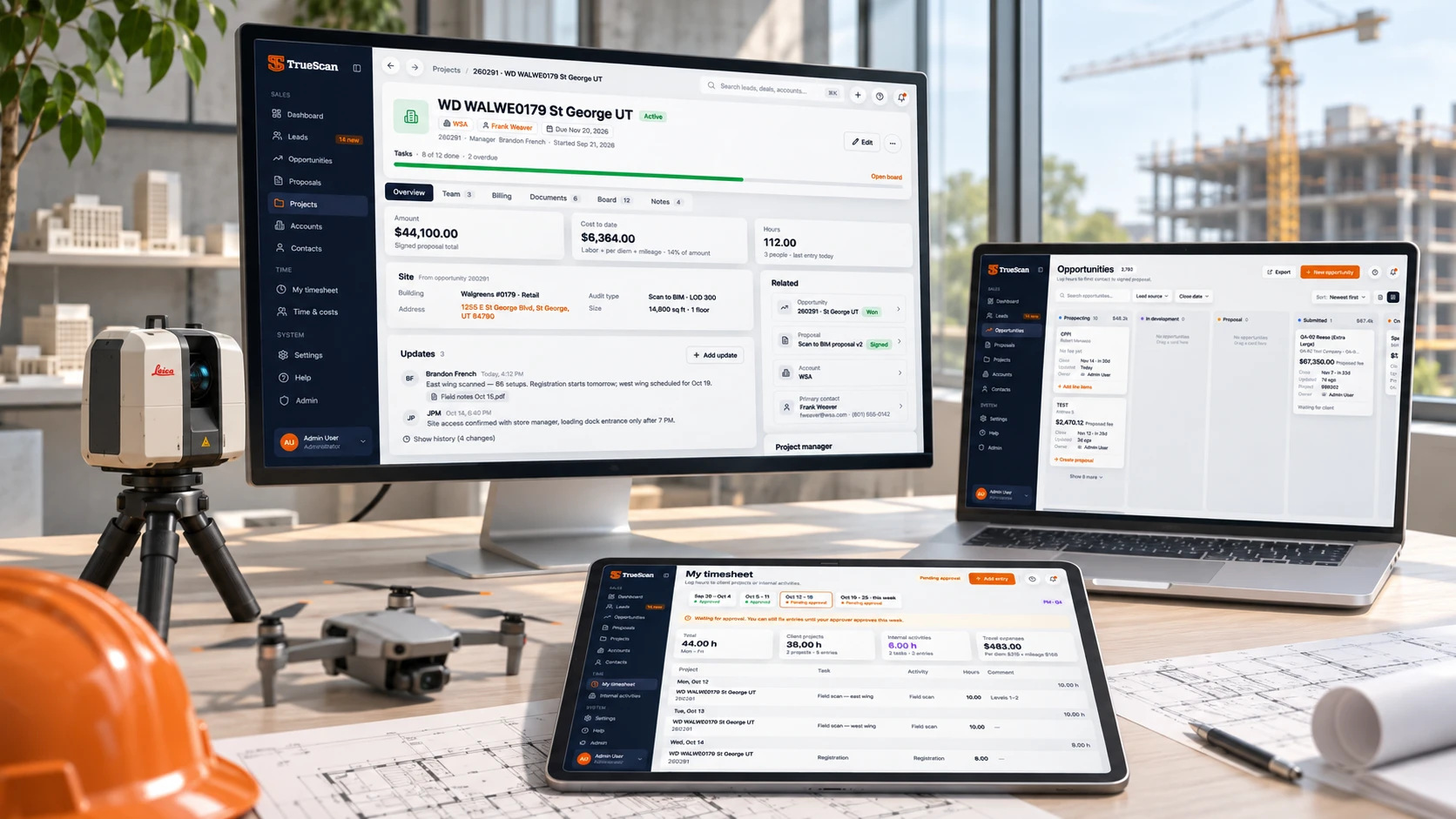
From how a scanning business actually runs to a full product that engineers can build without guessing.
The path from an inbound request to a field scan, a proposal and project costs, including the team’s own timesheet spreadsheet.
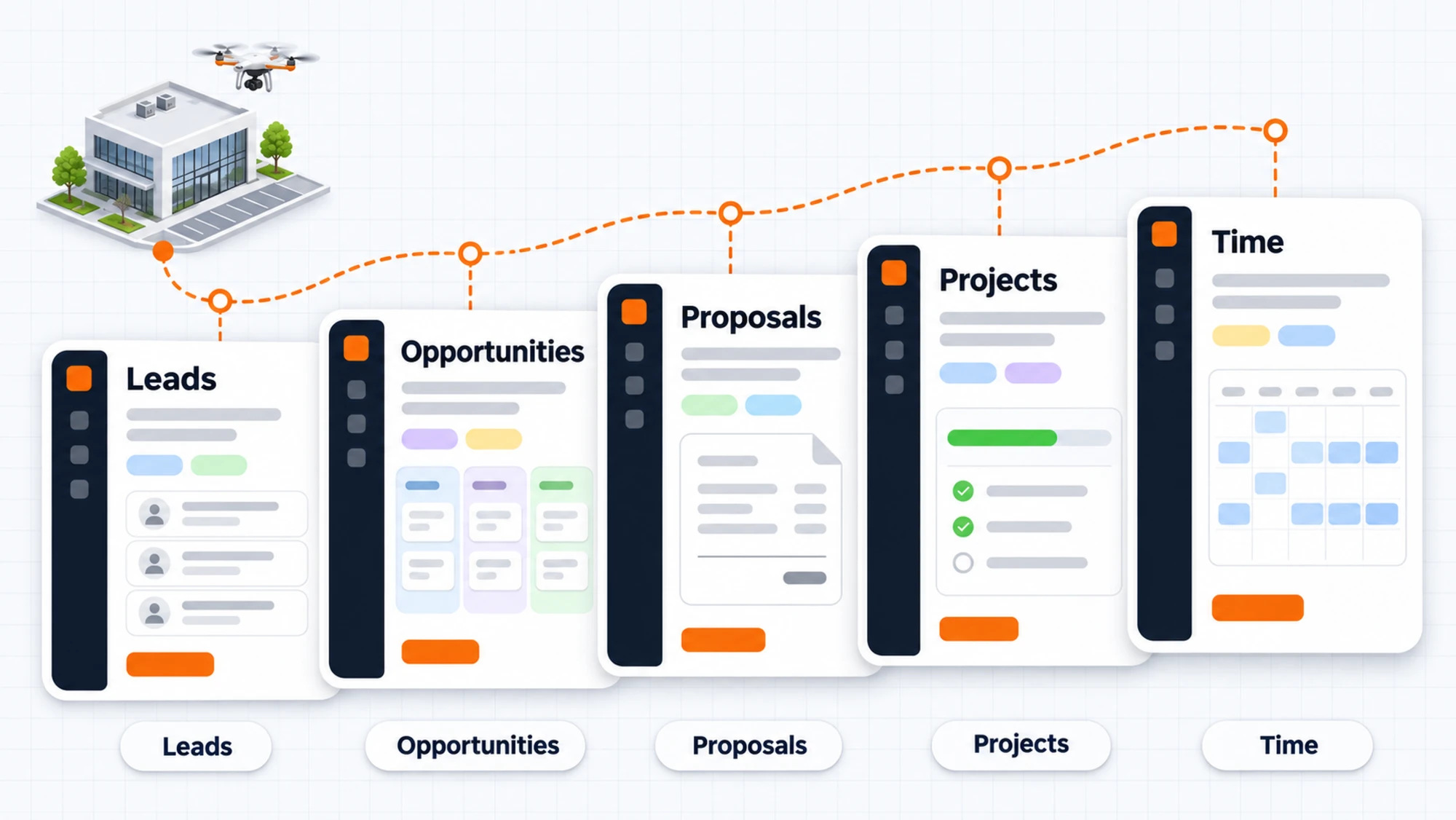
Five modules and how one record flows through them: lead → opportunity → proposal → project → time.
Colors, Inter type scale, radii, shadows and spacing as Figma Variables, plus one UI kit.
List, record, flows and states for every module: 100 desktop screens in total.
Behavior rules, edge cases and open questions for the PM next to every frame.
How the platform works
One record travels through five modules. Data entered once moves forward: a converted lead becomes a deal, the deal fills the proposal, a won deal opens the project, and approved time becomes its cost.
Problems
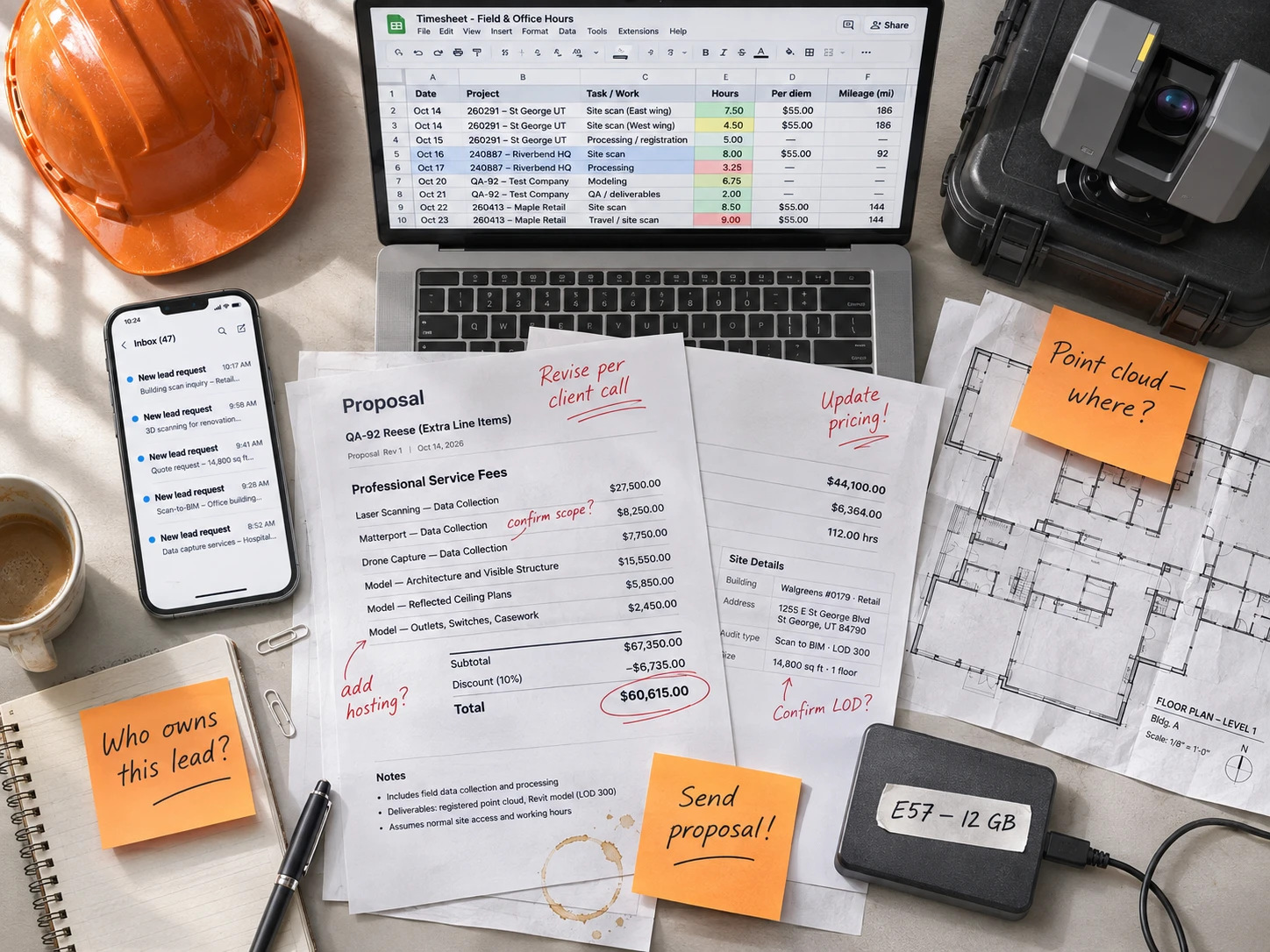
A scanning company sells, plans and bills complex field work. Every step had its own tool, or none.
Requests come from everywhere
Web forms, direct traffic and each sales rep’s personal form. A lead needs an owner and a status fast, or it goes cold.
Every deal needs a heavy proposal
A reality-capture proposal has 18 sections: scope, services, team, equipment, terms and fees that depend on what is being scanned.
Site work is scattered
After a deal is won, the building data, the crew, the files and multi-gigabyte point clouds need one home.
Costs live in a spreadsheet
Field hours, per diem and mileage were logged in Google Sheets, so the real cost of a project was hard to see.
Five modules
Each module answers one question for one role, and hands its data to the next.
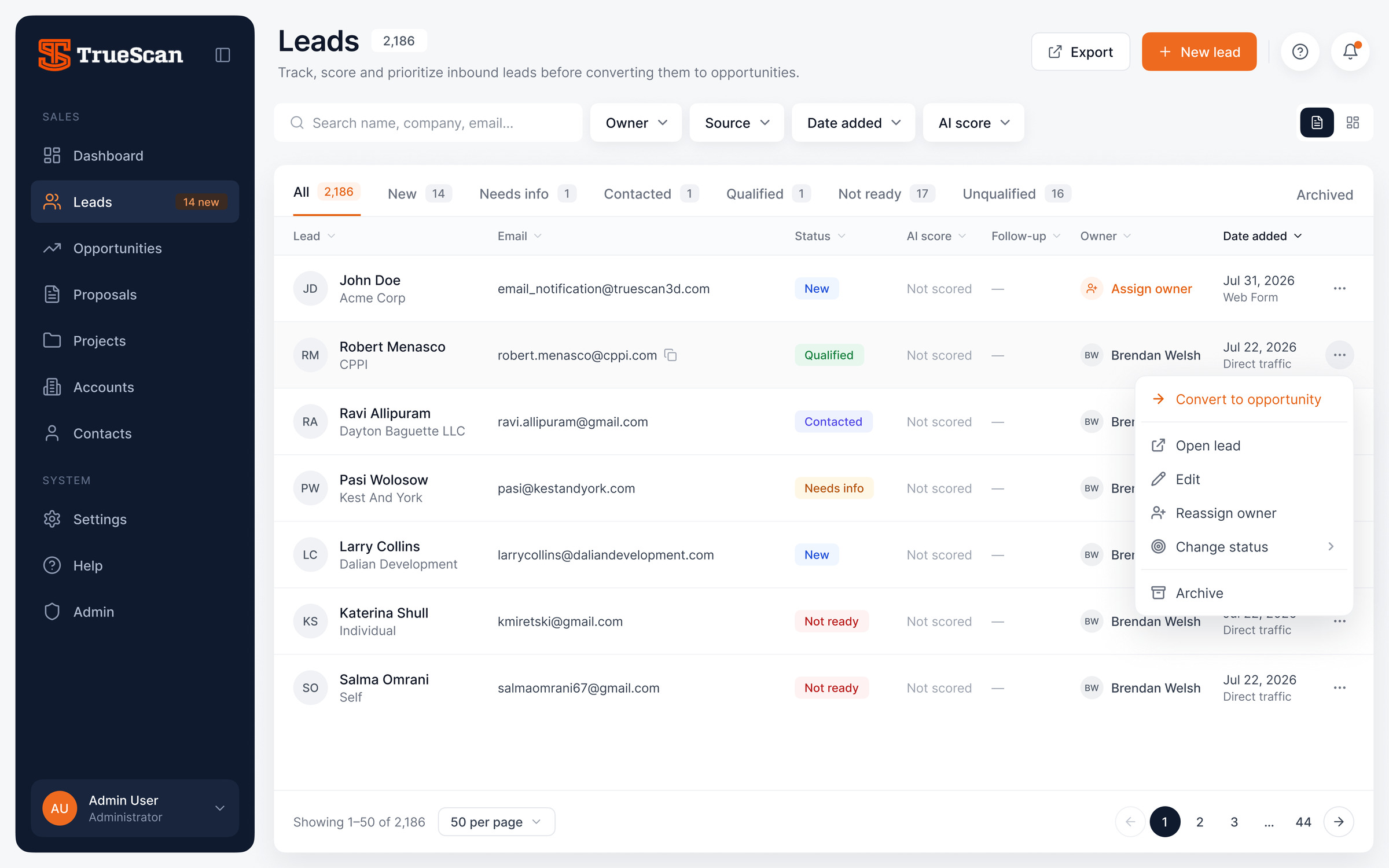
Triage in seconds
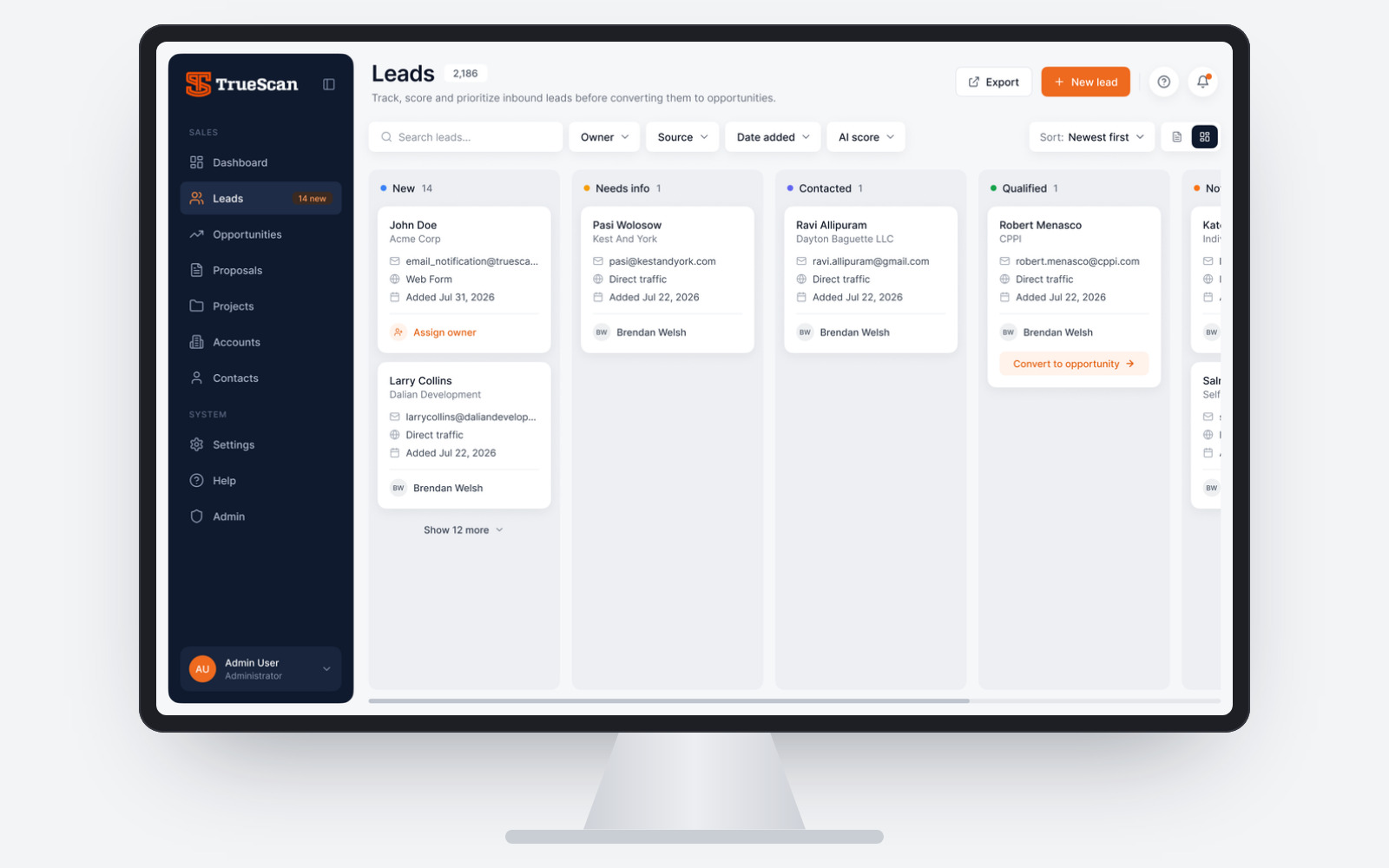
- Table and Kanban with status tabs and live counts
- Owner assigned in one click, status changed from the row
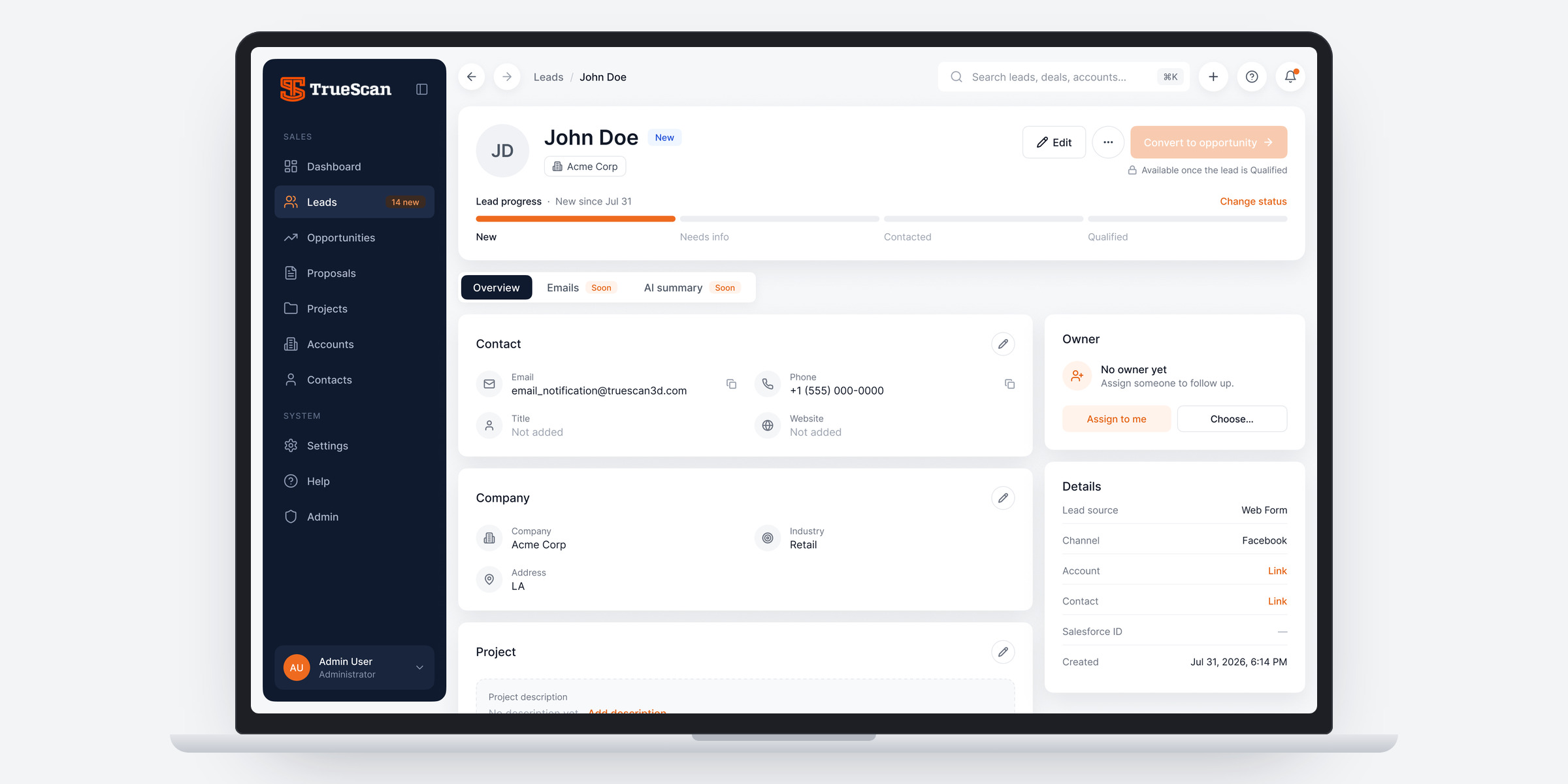
- Convert to opportunity only when a lead is Qualified
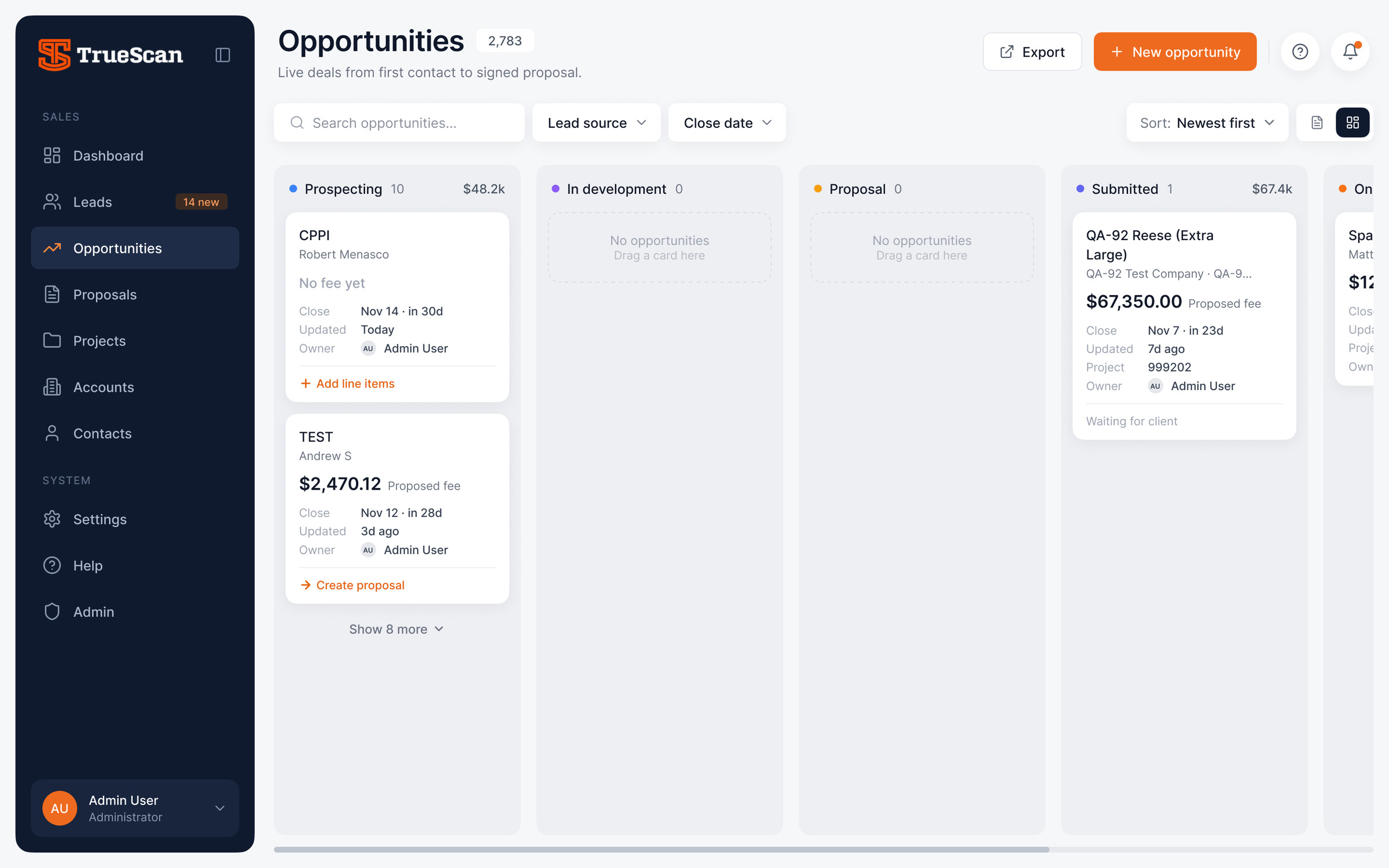
A pipeline that shows the next step
- Stages in pipeline order, from Prospecting to Won
- Close dates turn amber within 7 days and red when overdue; deals idle for 30 days are flagged
- Each card suggests the next step: add line items or create a proposal
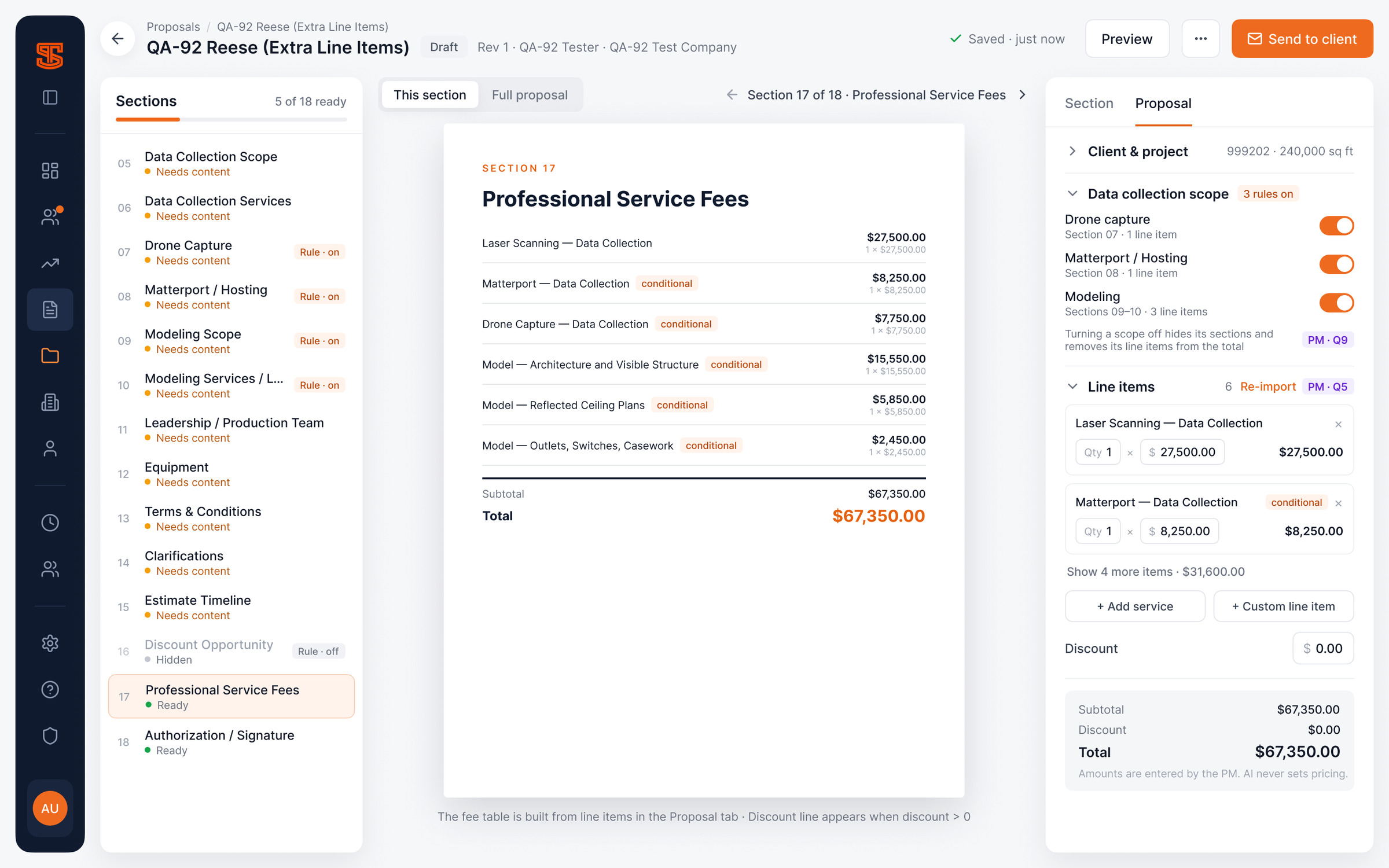
An 18-section proposal, built from the deal
- Client, scope and line items come from the opportunity
- Scopes like drone capture, Matterport or modeling switch their sections and fees on and off
- A readiness check before sending; a sent revision is locked
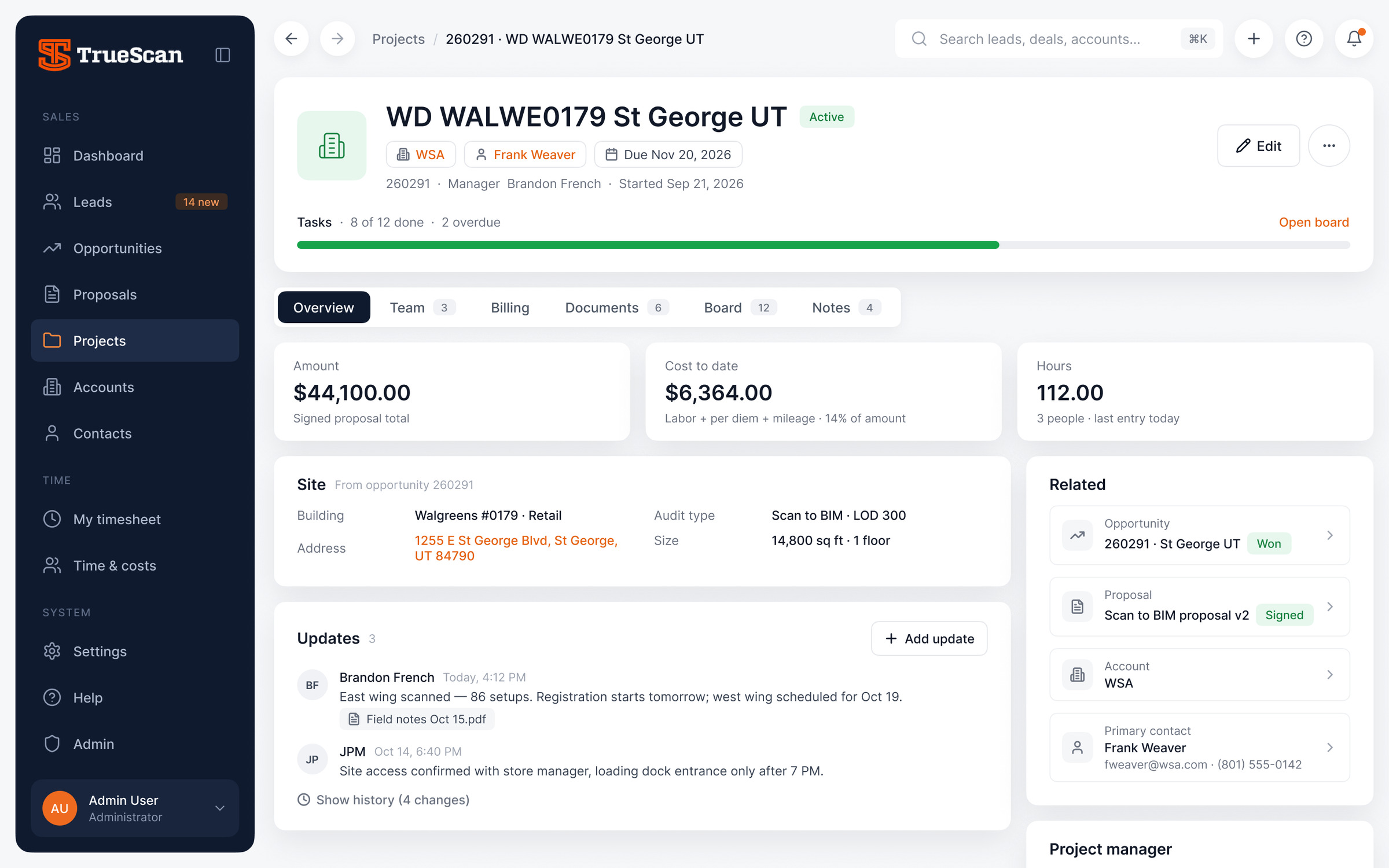
Everything about a site in one place
- Created when a deal is won; site data and the signed proposal carry over
- Overview, Team, Billing, Documents, Board and Notes
- Cost to date from approved time; billing visible only to the right roles
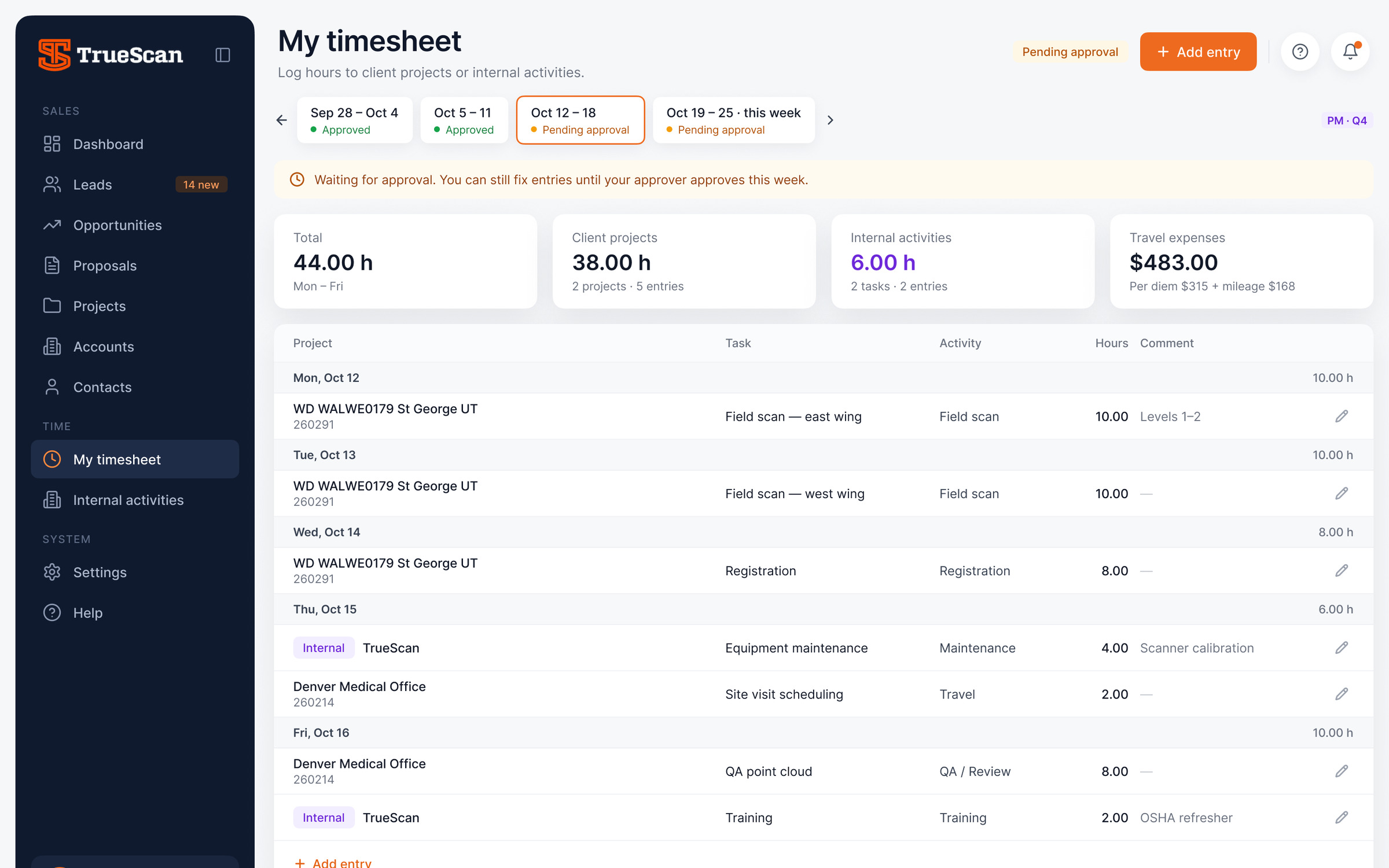
Field time that becomes project cost
- A weekly timesheet modeled on the team’s spreadsheet
- Client projects and internal work in one place, approved by week
- Labor = hours × rate, plus per diem and mileage at the project’s rates
Details that matter
Small decisions that save clicks every day: show consequences before they happen, apply small changes instantly, always leave a way back.
Preview before converting
Conversion shows exactly what will be created — a new or existing account, a contact and an opportunity in Prospecting — with no fields to fill in.
Land on the result
After conversion the user lands on the new opportunity, with a one-time “Converted from lead” banner and a link back to the lead.
Small changes apply instantly
Small changes apply instantly: assigning an owner or changing a status needs no Apply button, and archiving comes with an 8-second Undo.
Guided entry
A 3-step wizard validates one step at a time, checks duplicate emails when leaving the field and fills the address from a suggestion.
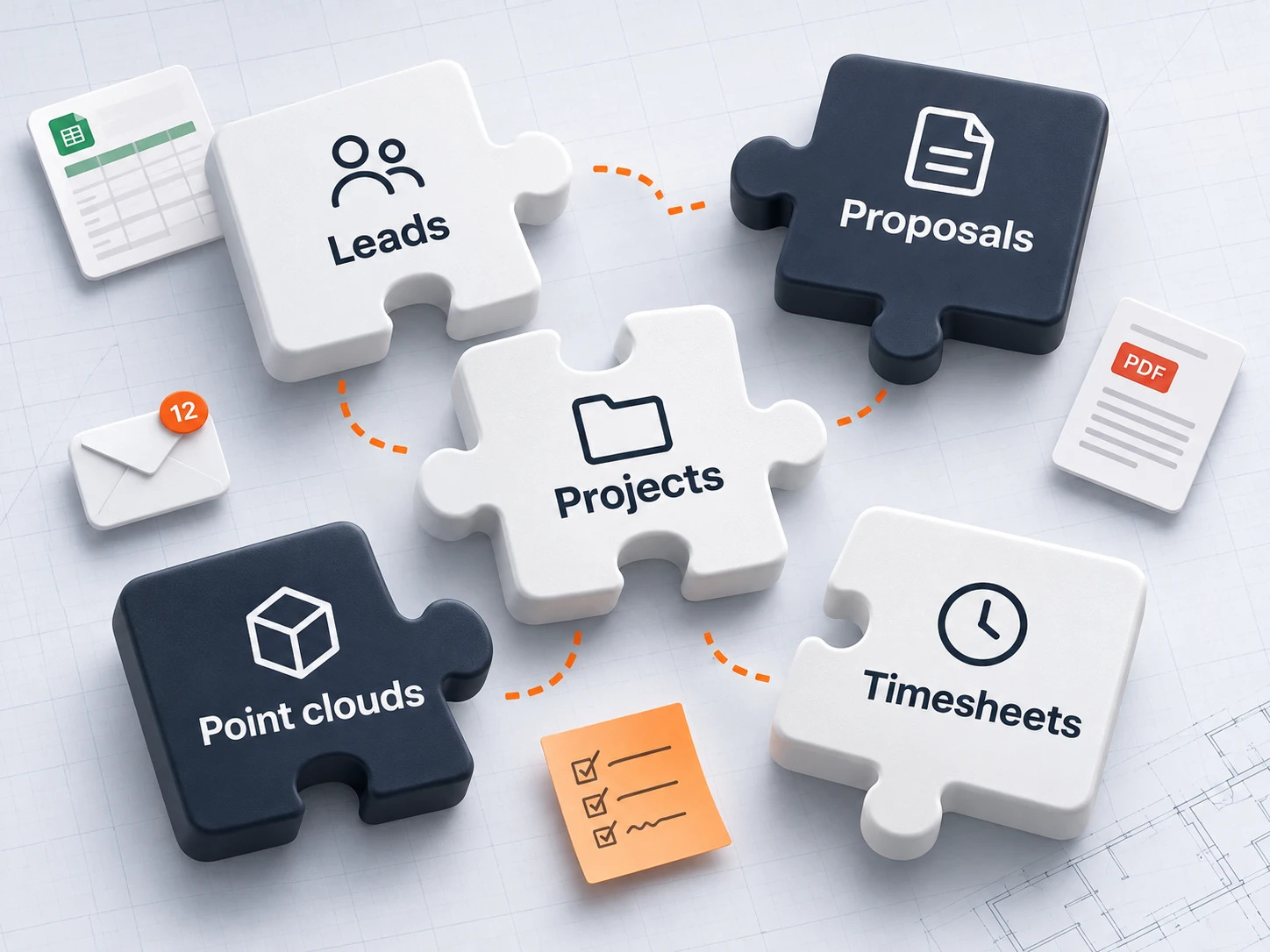
From wireframes to interface
I started in grey boxes to agree on structure and rules with the team: what lives in the row, what moves to the ⋯ menu, when Convert becomes available. Only then came the UI kit, and the final screens were assembled from it.
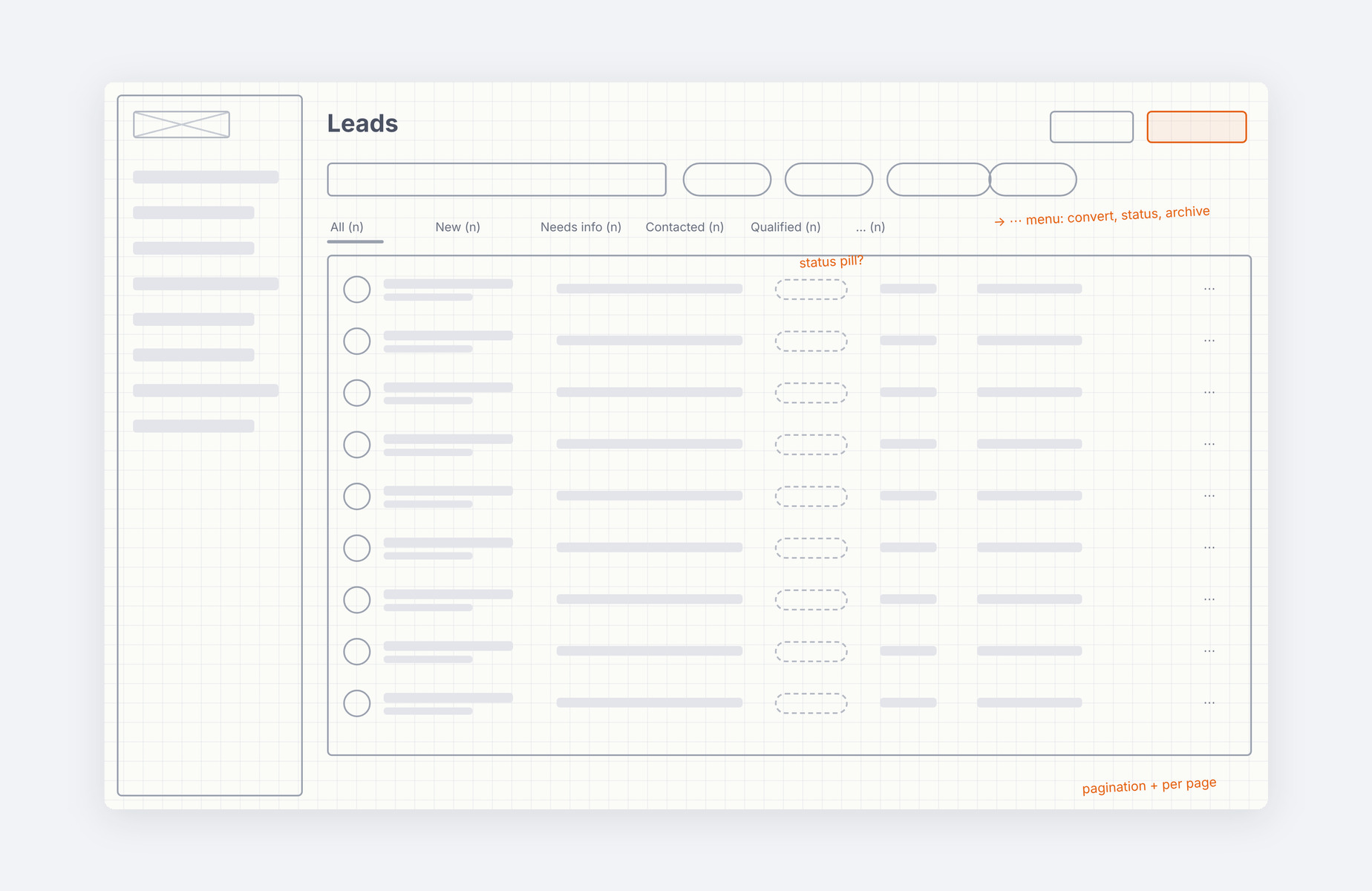
Wireframe
Structure, rules and open questions in the margins
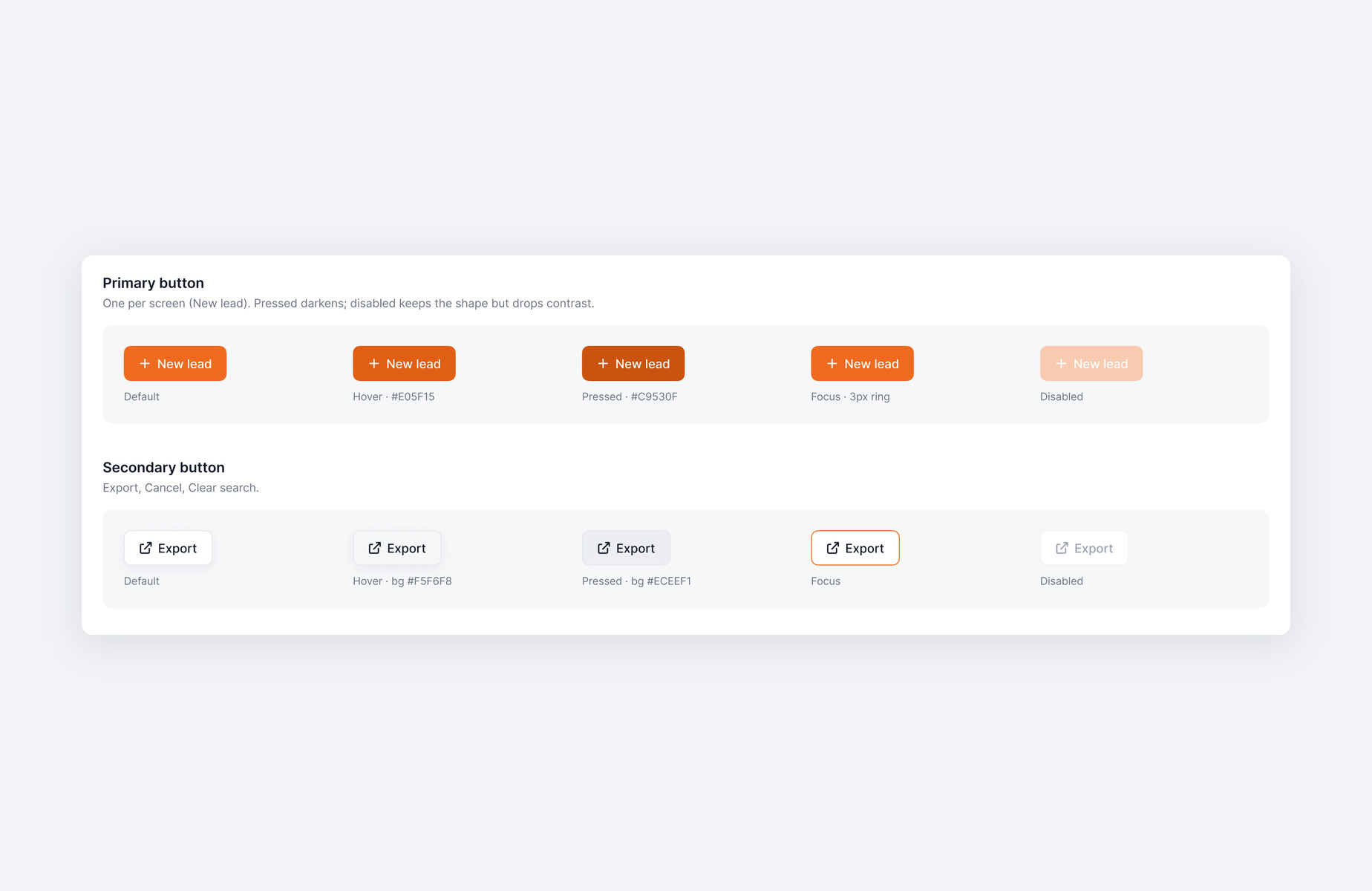
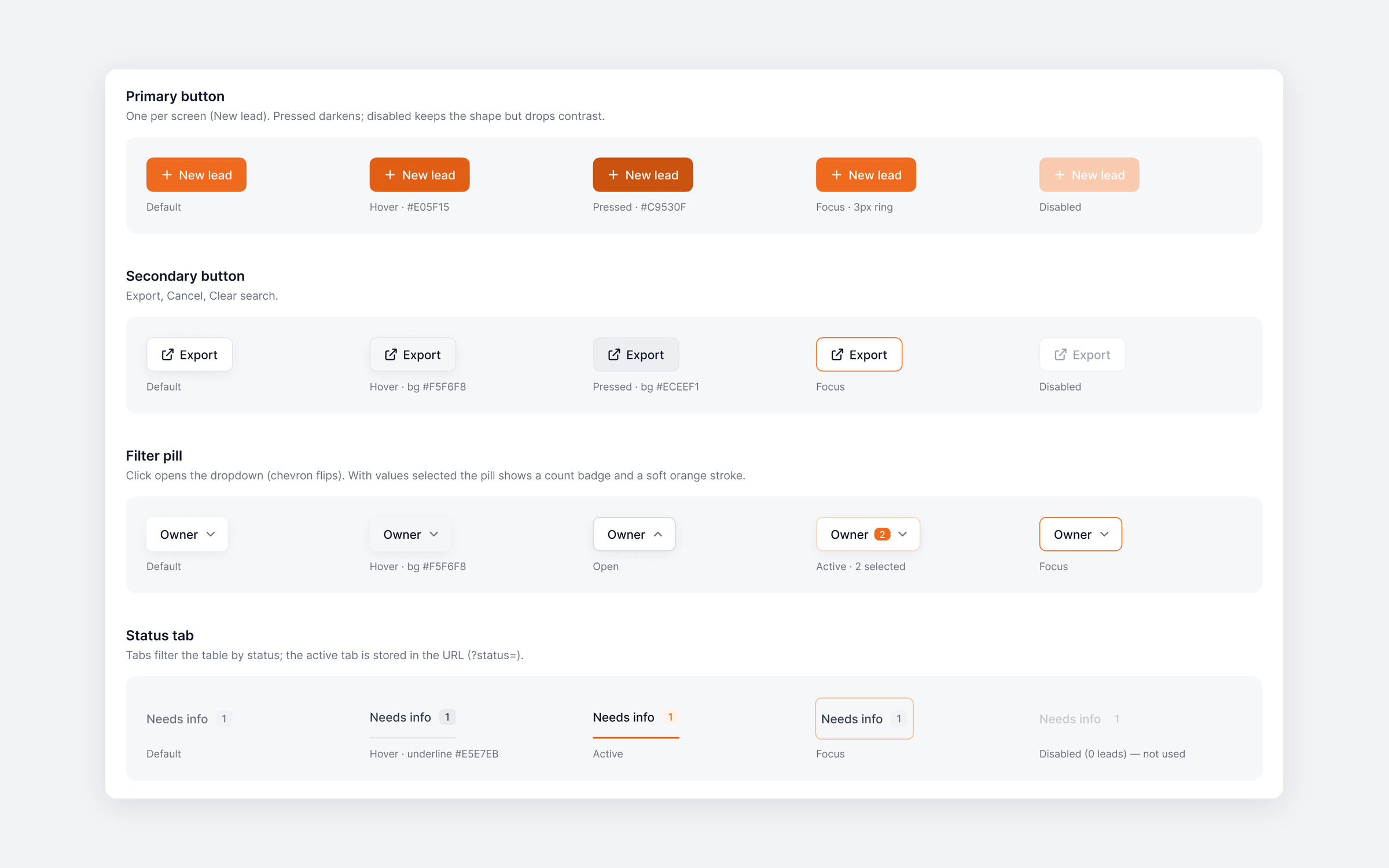
UI kit
Components and every state they can be in
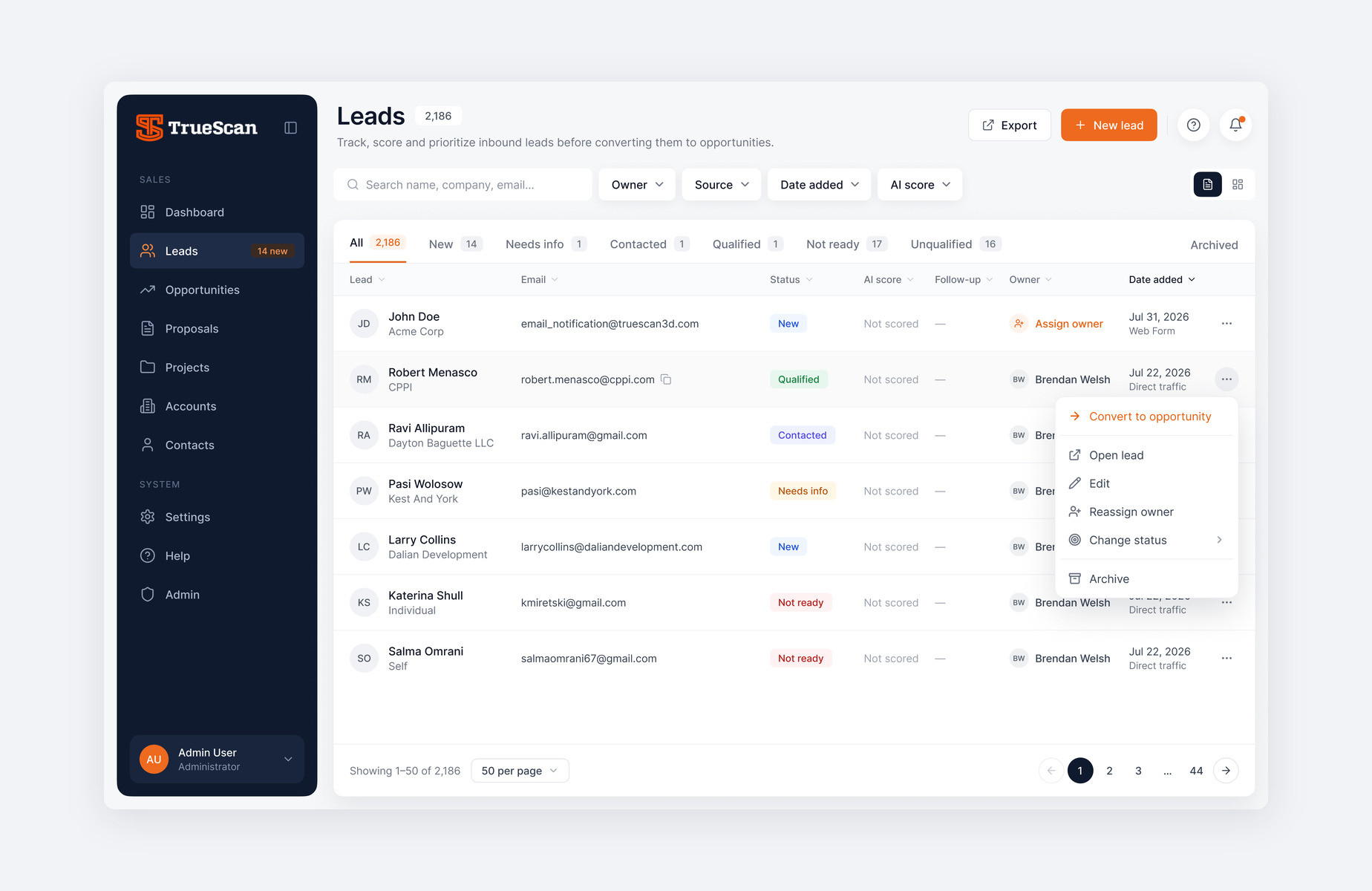
Interface
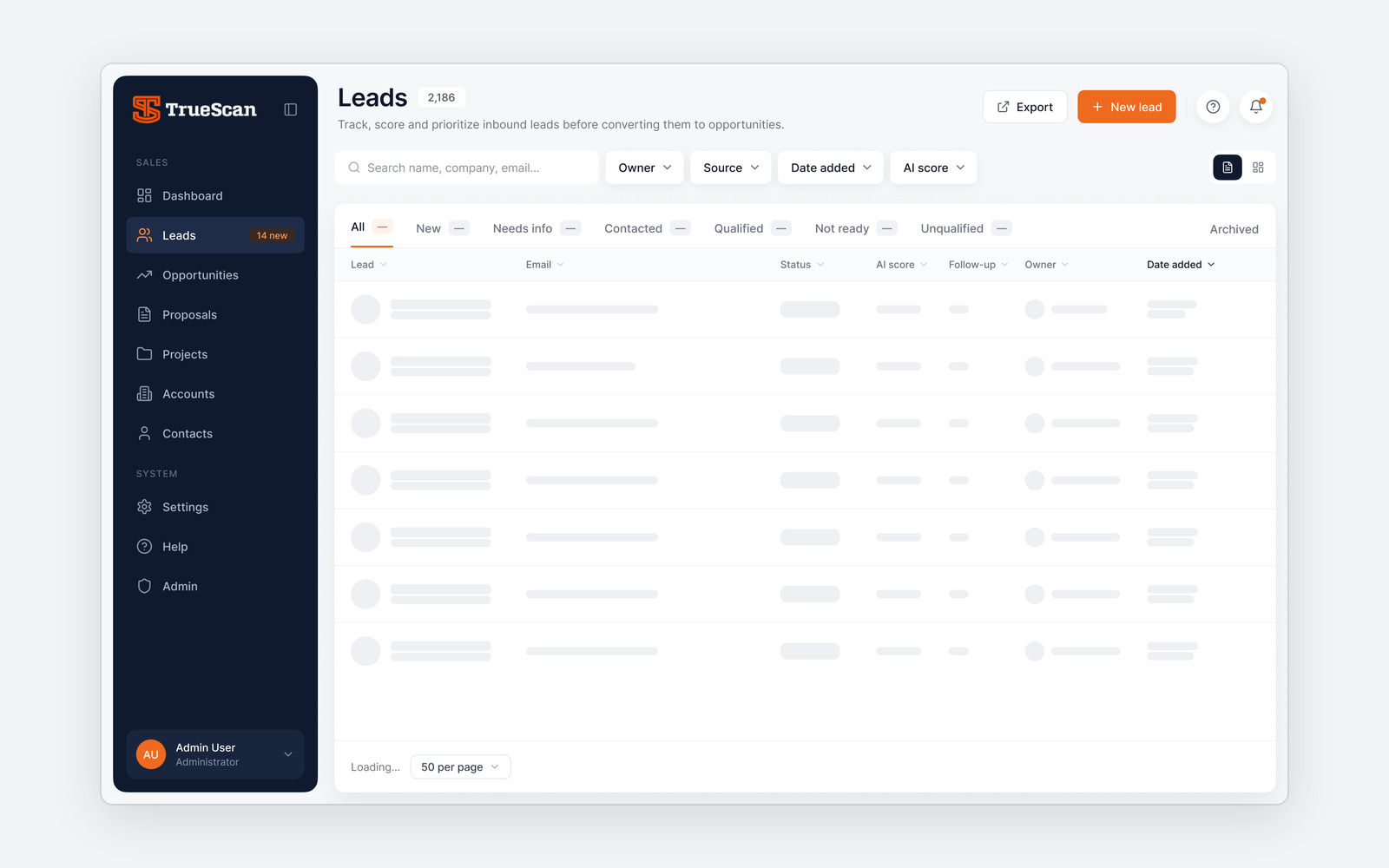
The final Leads screen, built from the kit
Design system
A light canvas, a dark sidebar and one orange call to action per screen. Moderate radii and a single shadow per element, in line with the TrueScan website.
UI design
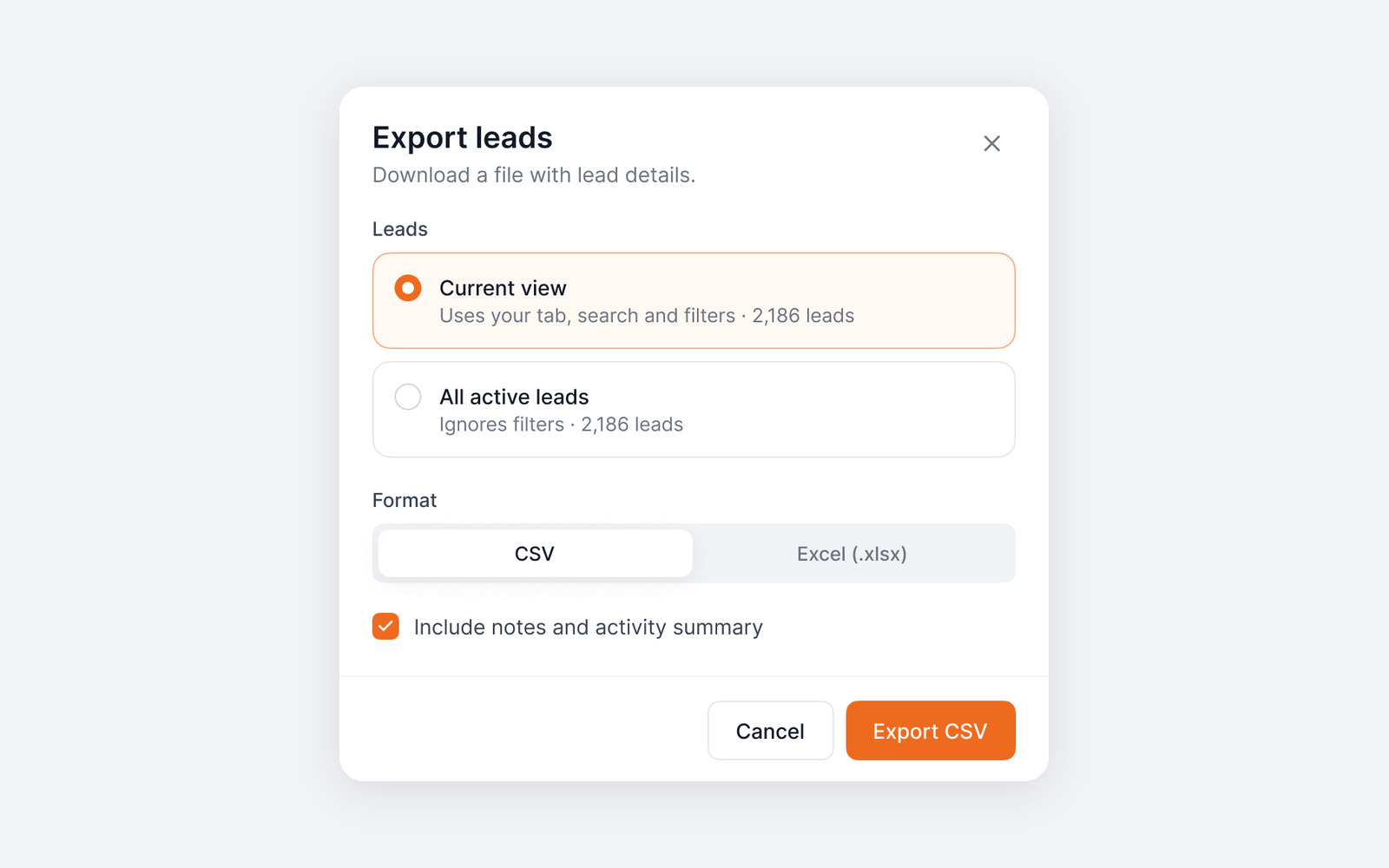
A lead profile built around progress and the next action, a Kanban board, and the states most products leave for later: export, no results and loading.

Results that matter.
A complete product, ready to build: Leads handed off for development, and Opportunities, Proposals, Projects and Time tracking designed on the same foundation for review with the client.
Let’s talk.
Tell me about the role or project — I reply within a day.